johnnygoodface
August 13, 2026

1Password for Safari doesn't prompt to autofill

  • August 13, 2026
  • 13 replies
  • 70 views

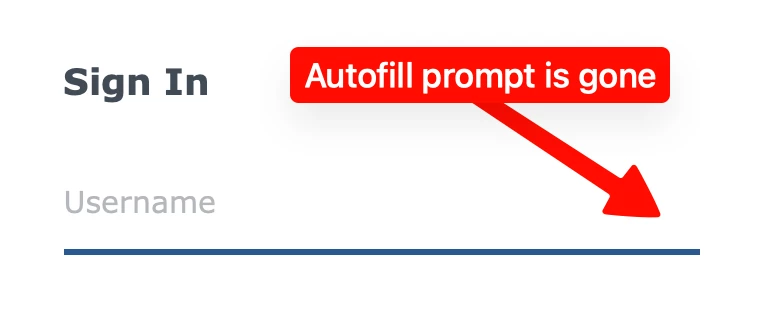
Ok Now that I’ve installed 8.12.33 and reboot, 1Password doesn’t prompt to autofill anymore (see below) even though my 1Password settings for the extension are correct.
 

    13 replies

    1P_Dave
    1Password Employee
    1Password Employee
    August 13, 2026

    Hello ​@johnnygoodface! 👋

    I’m sorry that you’re not seeing autofill suggestions after updating, I’ve split your post into a new thread so that we can discuss this issue separately. As a first troubleshooting step, can you try the suggestions in this article: If 1Password isn’t working in your browser

    If those don’t work then, in the settings for 1Password in Safari, is the following option enabled: Show logins in autofill suggestions

    I look forward to hearing from you. 

    -Dave

    August 13, 2026

    I’m seeing the same problem. I have quit and reopened 1PW, quit and reopened Safari and I’ve rebooted my Mac. Still no autofill.

    1Password for Mac 8.12.33

    1PW for Safari 8.12.29.1

    1P_Dave
    1Password Employee
    1Password Employee
    August 13, 2026

    @edbro 

    I’m sorry you’re seeing the same issue. Is the following option enabled: 

    1. Open your browser.
    2. Right-click on the 1Password icon in your browser's toolbar and click Settings
    3. Click Autofill & save.
    4. Is Show logins in autofill suggestions turned on? 

    If you see a message that the feature is disabled because you’ve turned on native AutoFill then see my post here.

    -Dave

    August 13, 2026

    I had to turn off the native macOS autofill for 1Password, but now it works. This wasn’t a problem prior to the current Production release. Thanks!!

    johnnygoodface
    August 22, 2026

    I would really like some screen shots, I’m really confused :( 

    August 14, 2026

    Same issue here. This only began after the mac autofill. I’m really disappointed here. This is a buggy untested rollout. First it broke all the extension integrations with the app, and now even after updating, while the extension integration works, the autofill is broken. 

    johnnygoodface
    August 22, 2026

    I just want the steps so that my 1Password suggests the logins like it used before. HELP! None of your solutions works on my side. Also as ​@markballou said: “Now the problem is, I'm not really happy with the implementation in Safari. I have some sites with multiple logins and with this new interface it only shows me one login. I don't know what defines the login it chooses to show. Nor can you seem to change that and designate a default. So, if I have multiple logins for a website, I then have to select Other User Names/Passwords for [website], then select the login I need, which is tedious. The old implementation handled by the extension just gave you a drop-down, you selected the login you wanted and you were good to go.” …. Exactly my toughts!  

    johnnygoodface
    August 22, 2026

    OK it’s working:

    Steps I took:

    1. Deactivate the 1Password “macOS Autofill”


    2. Activate the Safari User names and passwords


    3. Quit 1Password and restart it
       
    4. In the 1Password Safari extension (now the “Show logins in autofill suggestions” is enabled (was greyed out before)
    5. Now “old” login method is now working again


    August 25, 2026

    While this works in Safari, there’s a downside - 1Password will no longer allow autofill within any other apps.


    To me, the extension autofill in Safari and native autofill everywhere else was the best of both worlds. Really hope 1Password allows to have both rather than forcing one or the other.
     

    The native autofill option is terrible with sites that support per-identity authentication mechanisms, especially when OTPs are involved. I wound up locking myself out of a site or two because of this.