August 5, 2026

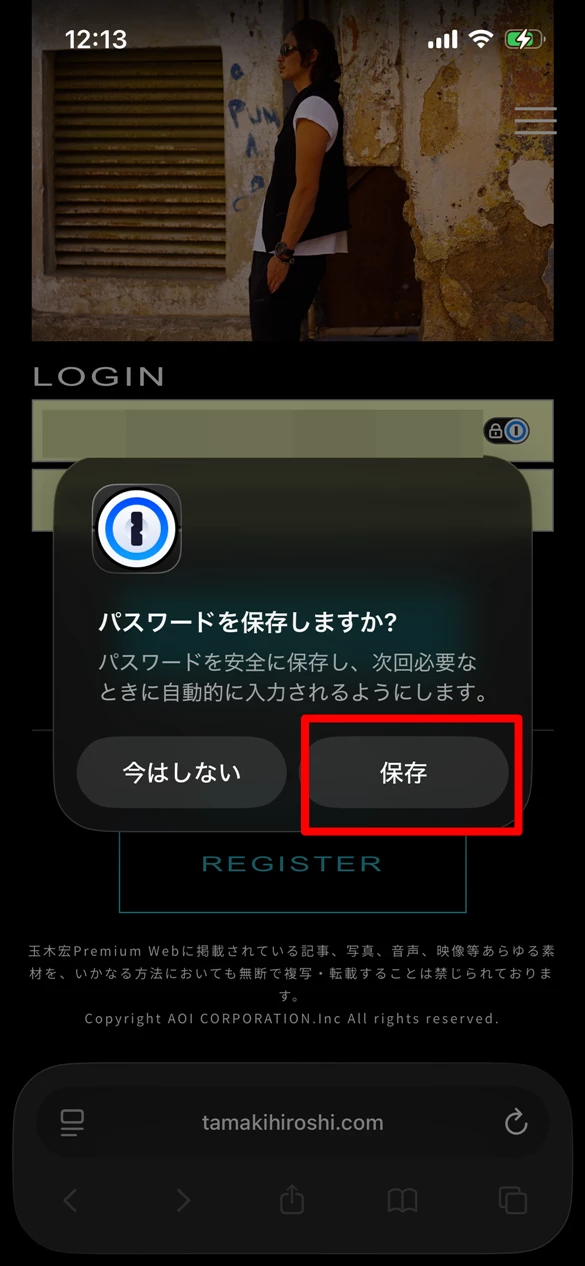
[Bug report]The "Save Password" pop-up appears again for a site where the password has already been saved.

  • August 5, 2026
  • 1 reply
  • 4 views

The site where the issue occurs is here:
https://www.tamakihiroshi.com/premium

This issue occurs only on Safari for iPhone.
(It does not occur with the Firefox extension on PC.)

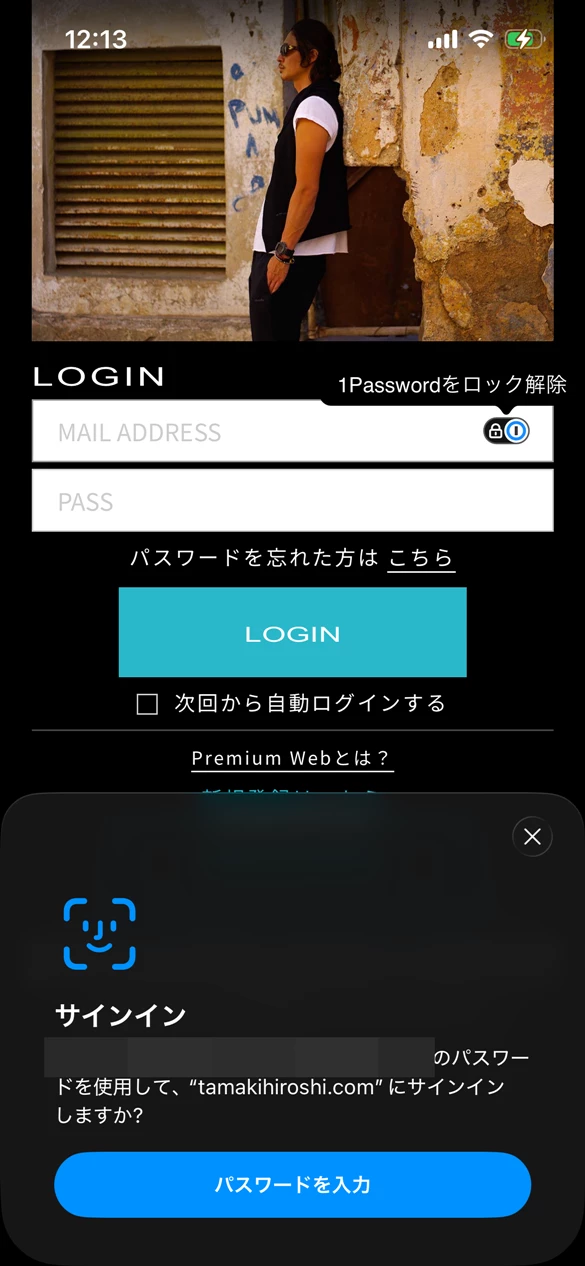
When logging into this site using saved login credentials via 1Password, I am prompted to save the password as a new entry for some reason.

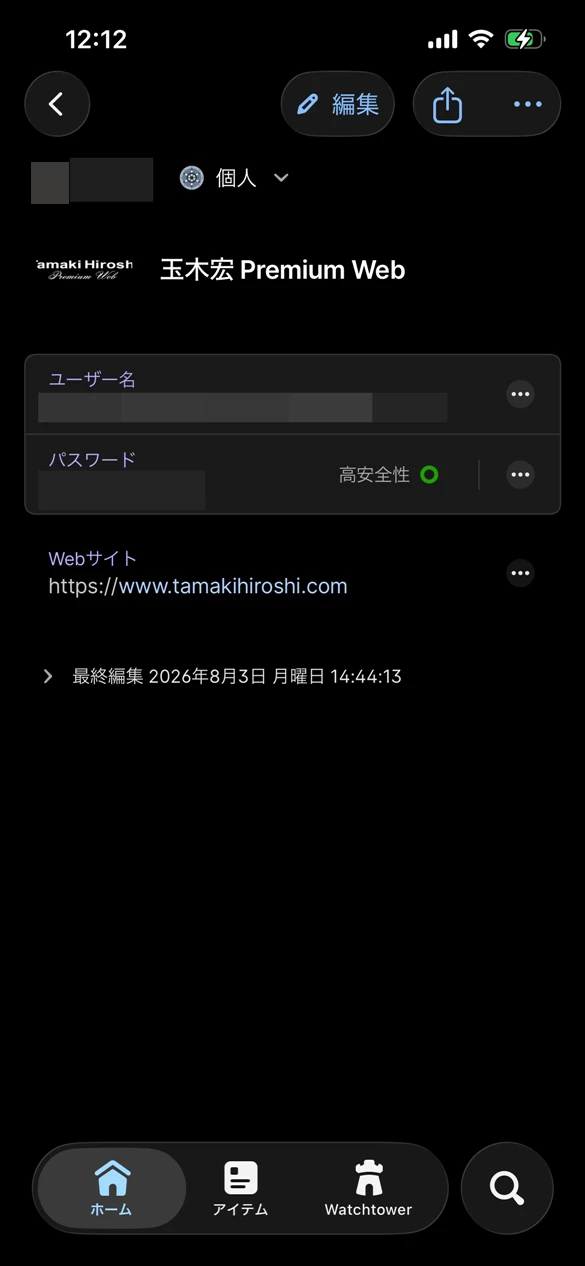
If I save it at that point, a duplicate login entry is created with a blank username and only the password filled in.

Saving it stops the prompt from appearing temporarily, but if I force-quit Safari and relaunch it, the save prompt reappears.
 

This topic has been closed for replies.
Pinned Reply By 1P_Dave

Hello ​@pokepikaz! 👋

I'm sorry that you're seeing an unexpected prompt asking you to save login credentials that you just filled. We've reproduced this issue on our end as well and have identified this as a bug in iOS AutoFill (the iOS functionality that 1Password uses to save and fill passwords on iPhone and iPad). The issue can occur when filling from 1Password using either iOS AutoFill (the prompt above the keyboard) or from our Safari extension.

We've reported the issue to our friends at Apple and hopefully it will be resolved soon in a future update to iOS. For the time being, you can tap Not Now to dismiss the prompt if you haven't updated your login credentials. I'm sorry for the confusion caused. 

I’ve closed this thread as a duplicate, you can follow the existing discussion here.

-Dave

1 reply

1P_Dave
1Password Employee
1Password Employee
August 12, 2026

Hello ​@pokepikaz! 👋

I'm sorry that you're seeing an unexpected prompt asking you to save login credentials that you just filled. We've reproduced this issue on our end as well and have identified this as a bug in iOS AutoFill (the iOS functionality that 1Password uses to save and fill passwords on iPhone and iPad). The issue can occur when filling from 1Password using either iOS AutoFill (the prompt above the keyboard) or from our Safari extension.

We've reported the issue to our friends at Apple and hopefully it will be resolved soon in a future update to iOS. For the time being, you can tap Not Now to dismiss the prompt if you haven't updated your login credentials. I'm sorry for the confusion caused. 

I’ve closed this thread as a duplicate, you can follow the existing discussion here.

-Dave