
November 24, 2025
Solved

How do I share permanently an element?

  • November 24, 2025
  • 1 reply
  • 51 views

Hello,

Here is my issue : user A and user B have both an 1P account, independently. A has an element (wifi info) and would like B to get a copy of the same element, with no limit in time for validity. How do I get this?

 NB: only one element has to be shared, not a complete vault.

If A modifies its element, I don't expect it to be automatically updated in B's account.

Thanks in advance for any hint!
 

Best answer by 1P_SimonH

Hi @Caminante,

Good question and thank you for being so specific with what your goal is and your expectations!

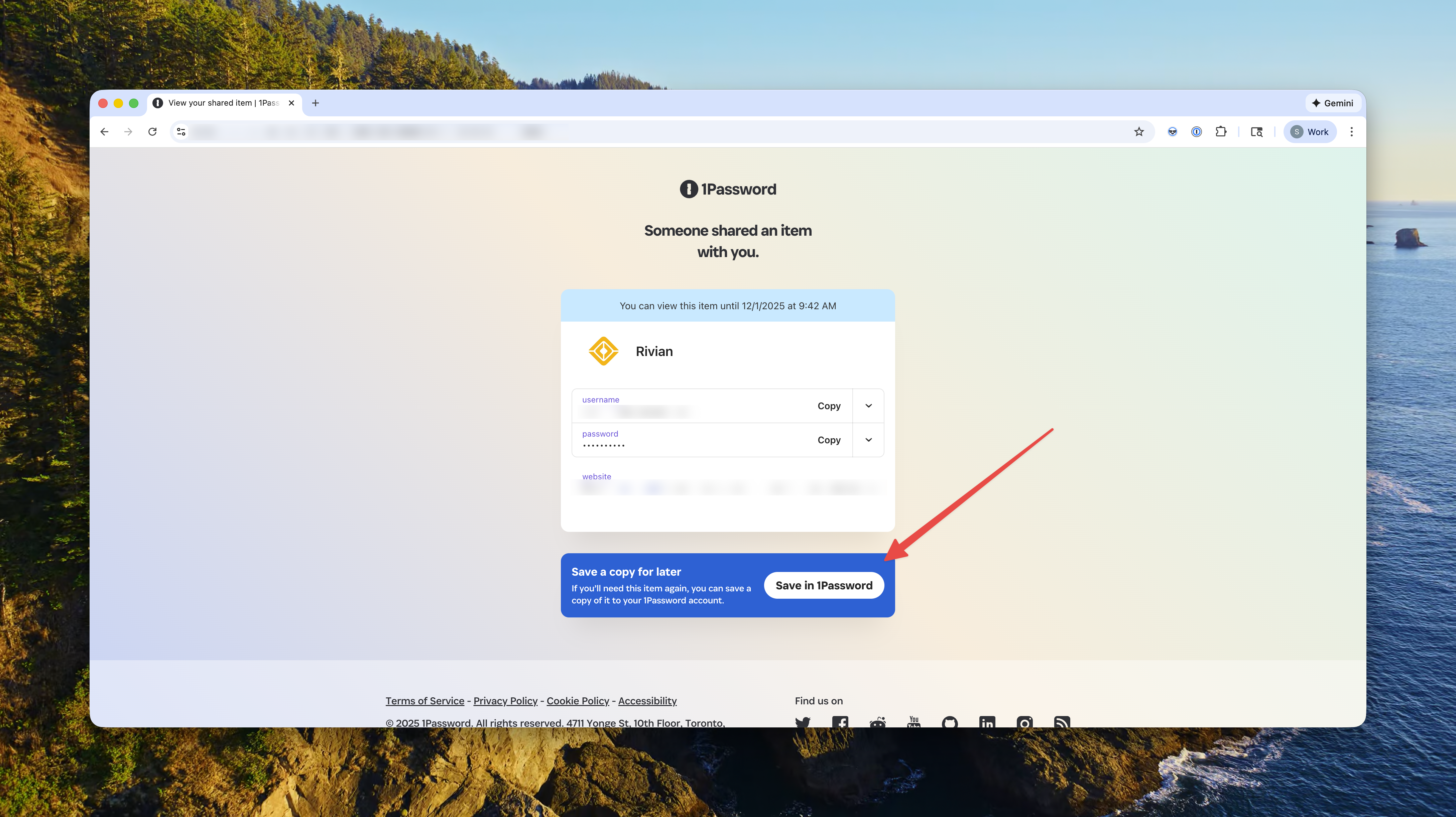
To achieve what you're looking for, you can share the item with the other user. If the user has the 1Password browser extension installed, when they open that link in their browser, they'll see the option to Save in 1Password

Note that after the item is saved, changes to the item will not sync across users.

I hope this helps! Please let me know if this works for you or if any questions come up.

1 reply

1P_SimonH
1P_SimonHAnswer
Community Manager
November 24, 2025

Hi @Caminante,

Good question and thank you for being so specific with what your goal is and your expectations!

To achieve what you're looking for, you can share the item with the other user. If the user has the 1Password browser extension installed, when they open that link in their browser, they'll see the option to Save in 1Password

Note that after the item is saved, changes to the item will not sync across users.

I hope this helps! Please let me know if this works for you or if any questions come up.

CaminanteAuthor
November 25, 2025

It worked fine, thank you very much !