
July 7, 2026

How to hide the browser right click context menu?

  • July 7, 2026
  • 1 reply
  • 0 views

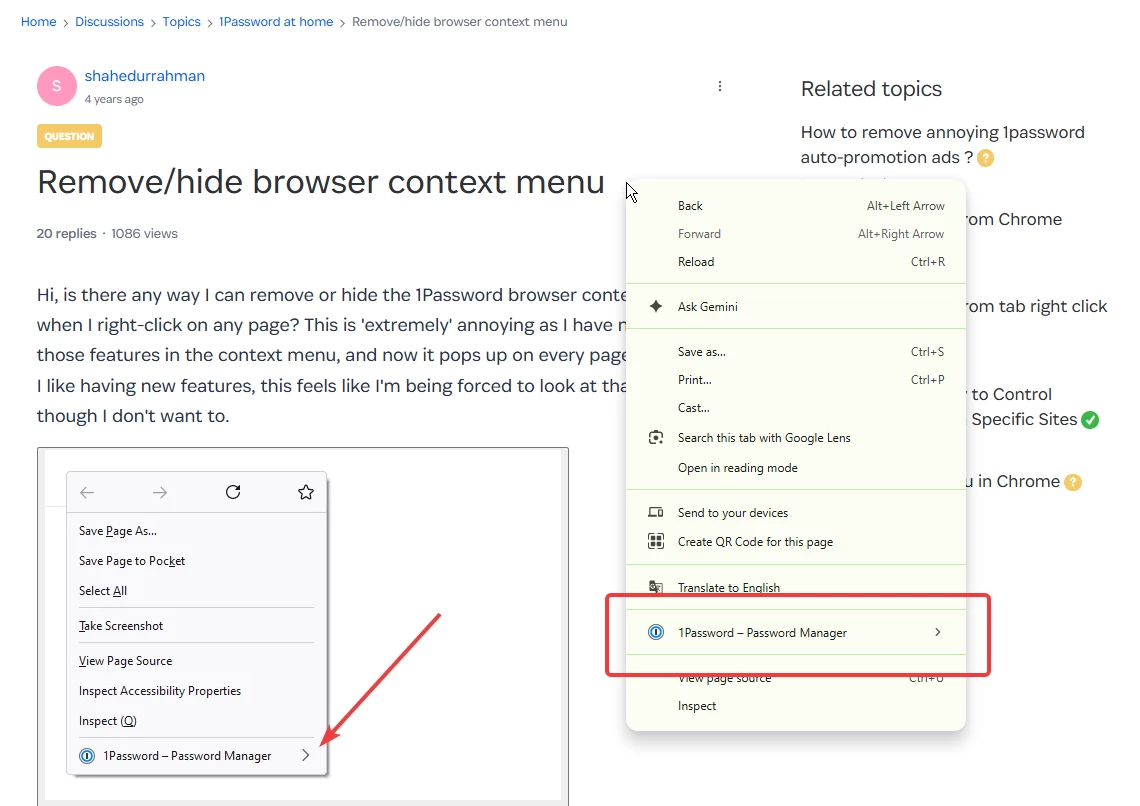
Is it possible now to hide the right click context menu item in browser? I have no use of it and I would like to hide it on all websites. 

** Yes, I have been asking this for 4 years now. I would be very happy if you tell me that this has been implemented and I just don’t know where that settings is 🙏


Pinned Reply By 1P_Dave

Hello ​@shahedurrahman! 👋

The only way to remove 1Password from Chrome's right-click context menu is to disable or uninstall the 1Password extension. There isn't a setting to hide the 1Password option while the extension is installed and enabled.

That being said, I’ve let the team know that you’re still interested in seeing an option to turn off the context menu option be added in the future. Thank you for the feedback! 

-Dave

1 reply

1P_Dave
1Password Employee
July 7, 2026

Hello ​@shahedurrahman! 👋

The only way to remove 1Password from Chrome's right-click context menu is to disable or uninstall the 1Password extension. There isn't a setting to hide the 1Password option while the extension is installed and enabled.

That being said, I’ve let the team know that you’re still interested in seeing an option to turn off the context menu option be added in the future. Thank you for the feedback! 

-Dave