
September 27, 2026
Solved

Old and new popups at the same time

  • September 27, 2026
  • 3 replies
  • 13 views

I am seeing both old and new popup at the same time.
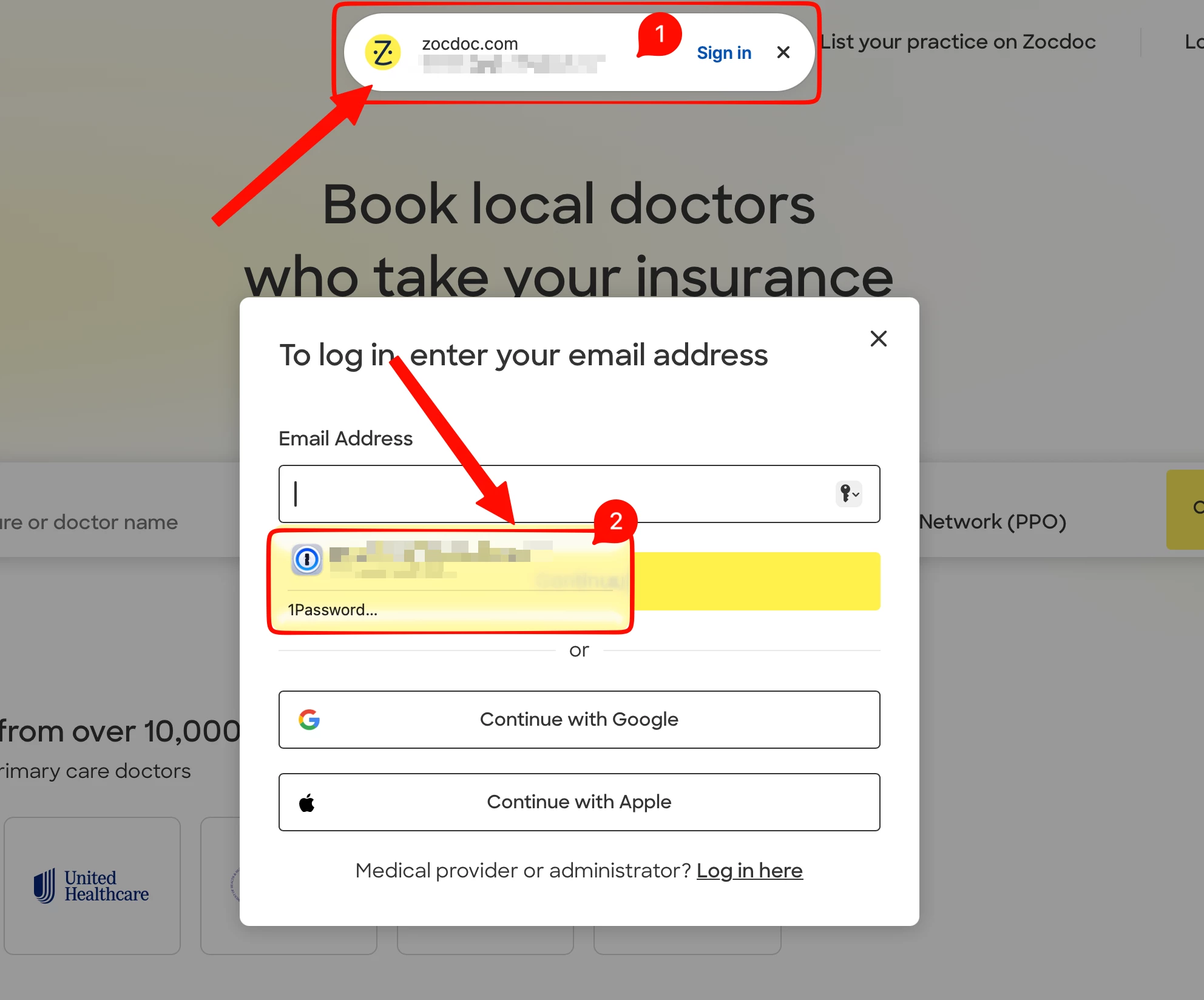
  1. Firstly it is annoying 
  2. Secondly, the old one wants me to authenticate everytime (even though I have set it to not to)
  3. Thirdly, I like the new version. How do I make the old one to stop popping up?
Best answer by prewar

Thank you ​@1P_Dave 

I closed the native 1password autofill and it fixed the inline old style popup.

Surprisingly this is only happening in safari and not in chrome.


3 replies

1P_Dave
1Password Employee
1Password Employee
September 28, 2026

Hello ​@prewar! 👋

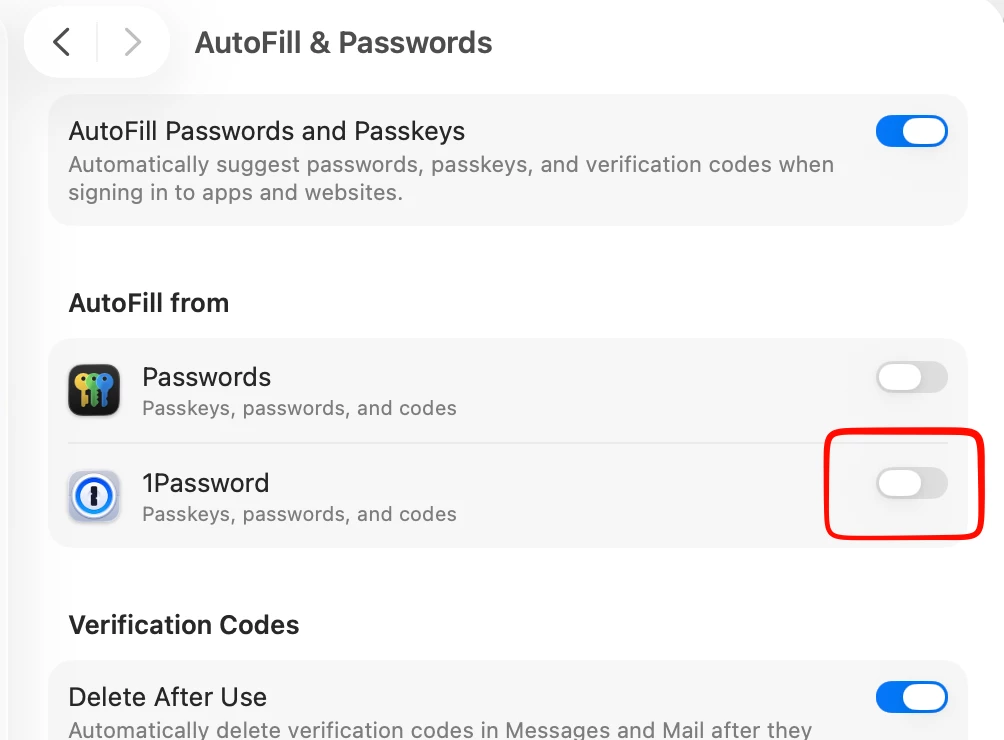
Thanks for reaching out! It looks like you have macOS native AutoFill enabled and it’s providing suggestions underneath the email address field. You can turn off macOS AutoFill with these steps: 

  1. Close your browser. 
  2. From the menu bar, select the Apple menu > System Settings.
  3. In the sidebar, select General, then select AutoFill & Passwords.
  4. Under “AutoFill from”, turn off 1Password.
  5. Select the 1Password icon in the menu bar, then select Quit.
  6. Reopen 1Password and then re-open your browser. 

I hope that helps! 

-Dave

prewarAuthorAnswer
September 28, 2026

Thank you ​@1P_Dave 

I closed the native 1password autofill and it fixed the inline old style popup.

Surprisingly this is only happening in safari and not in chrome.


1P_Gem
1Password Employee
1Password Employee
September 29, 2026

Hi ​@prewar, I’m glad this helped, and thanks for letting us know! The native macOS AutoFill integration is specific to Safari, which explains why it was happening there but not in Chrome.