

Goofball
August 5, 2026
Solved

Recovery code creation cannot be completed on Linux Mint Debian Edition

  • August 5, 2026
  • 2 replies
  • 2 views

When trying to create my 1Password recovery code in the desktop app on Linux, I cannot save or print the code and, therefore, cannot complete the process. Clicking either the “Save” or “Print” buttons simply does nothing, clicking on “Next” then leads to the attached warning and prevents me from proceeding.

Is this a known issue and is there any way to get around it?

Needless to say, I manually noted my recovery code and would be able to re-enter it in the next step.
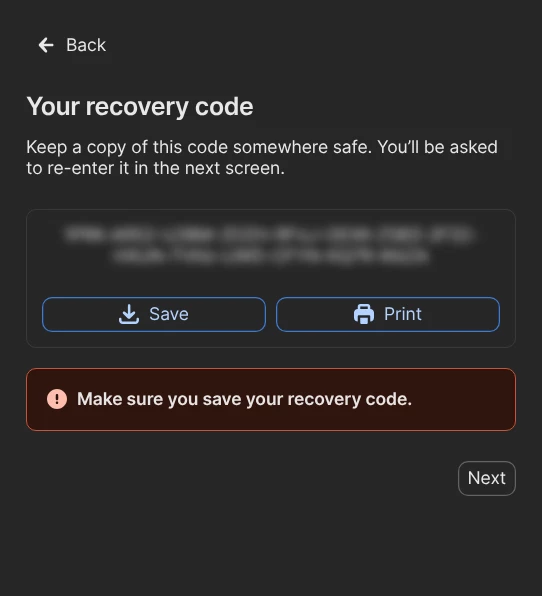
 

I’m using 1Password for Linux 8.12.30 (81230021) on Linux Mint Debian Edition (LMDE 7 ‘gigi’, kernel 6.12.100+deb13-amd64) via the .deb package.

Best answer by 1P_Dave

Hello ​@Goofball! 👋

I’m sorry that you’re getting stuck when trying to save your recovery code on Linux. As a first step can you try the steps in this article to see if your Yama/ptrace_scope settings might be preventing the save option from working: If you see “update your settings to export data” or you can’t upload or download files in 1Password for Linux

Let me know how that goes. 

-Dave

2 replies

1P_Dave
1Password Employee
1P_DaveAnswer
1Password Employee
August 12, 2026

Hello ​@Goofball! 👋

I’m sorry that you’re getting stuck when trying to save your recovery code on Linux. As a first step can you try the steps in this article to see if your Yama/ptrace_scope settings might be preventing the save option from working: If you see “update your settings to export data” or you can’t upload or download files in 1Password for Linux

Let me know how that goes. 

-Dave

Goofball
GoofballAuthor
August 15, 2026

@1P_Dave 
Awesome, that did indeed solve the issue.

In my case Yama was loaded but not active, so I set the value to 1, as per the article. I was then able to save the code and complete the process.

Many thanks for your assistance!