

Question
Touch ID option disabled after Mac restored from Time Machine
I recently had the logic board replaced in my MacBook Pro. I restored the Mac from a Time Machine backup that was roughly 6 days old. When I launched 1P, I got the message stating a I'd used a newer version. I followed the instructions https://1password.community/discussion/129049/warning-popup-on-launch to resolve the issue.
After setting up TouchID, I rebooted a few times and after each reboot, the option to enable TouchID in 1P remains disabled.
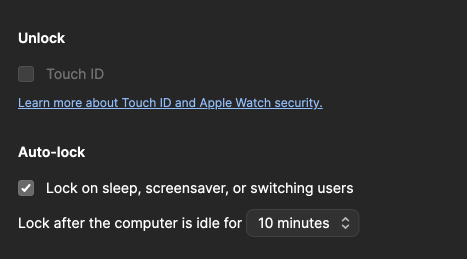
I've tried numerous reboots, toggling all the TouchID settings on/off, but nothing seems to take.
Suggestions? Thank you!
1Password Version: 8.10.4
Extension Version: 2.10.0
OS Version: 13.3.1
Browser:_ Chrome