Gordon101
July 20, 2026
Question

Unwanted, persistent 1PW window

  • July 20, 2026
  • 3 replies
  • 7 views

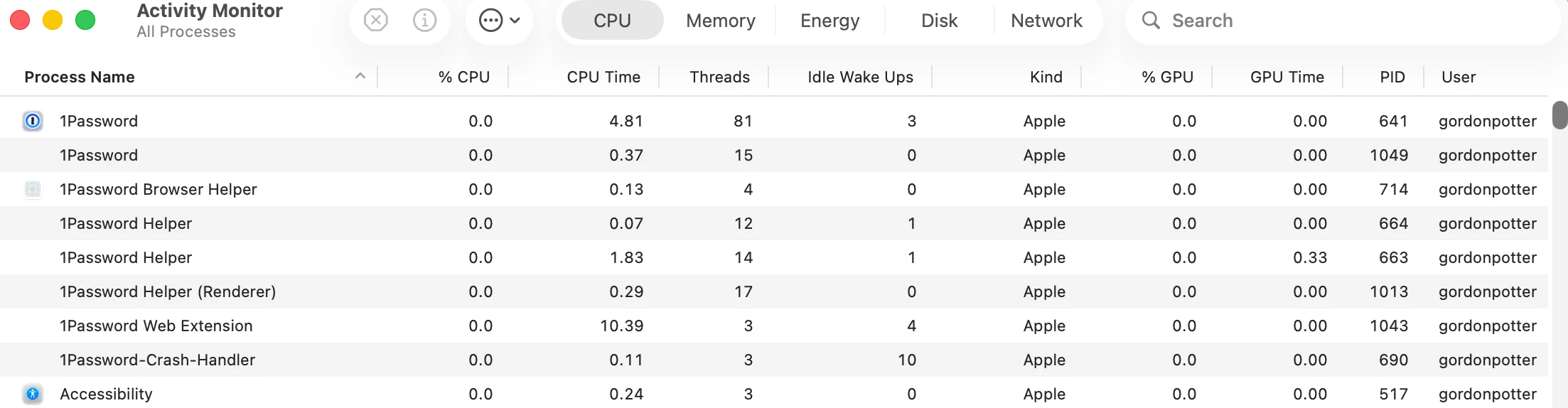
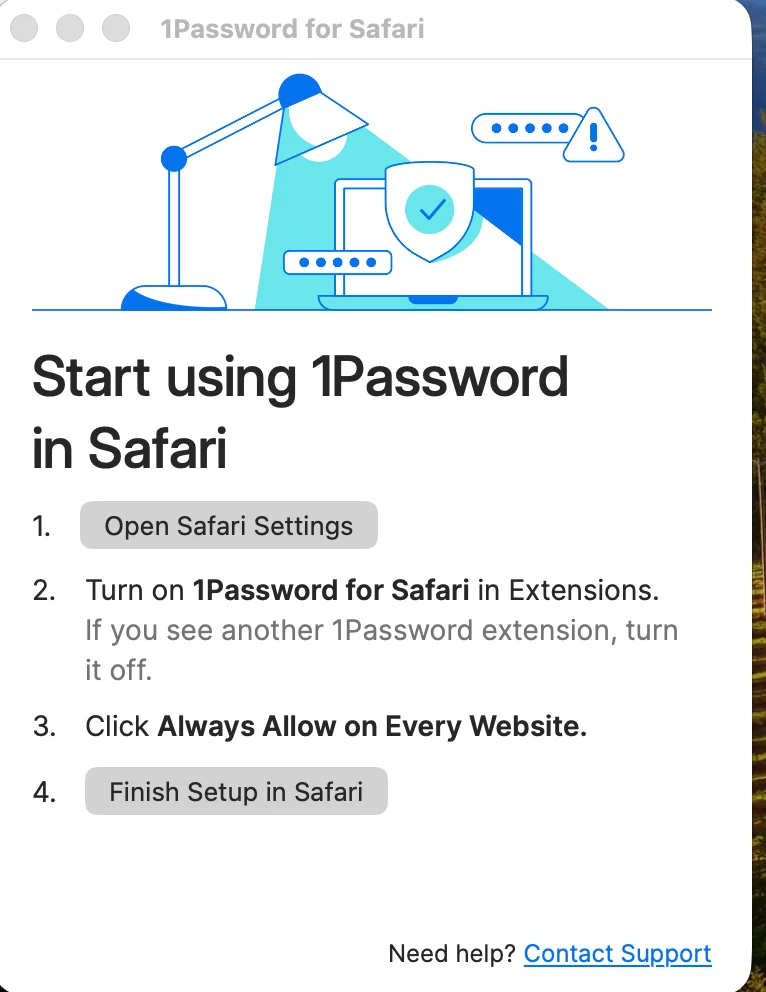
Everytime I reboot I get the window shown below.  I have followed the suggested steps and this has no effect.  Also I have posted a screenshot of 1PW items Apple’s Activity Monitor sees.  (It seems to me there may be excess programs.)   Also I thought the Safari Extension for 1PW was in MacOS.  Finally my wife has the same hardware and MacOS as my MacBook Pro and she does not have this issue.  

1PW for Mac 8.12.28; MacOS 26.5.2; 

How do I stop the Persistent Window?


3 replies

July 20, 2026

Everytime I reboot my computer I get the screen shown below.  1PW Mac; family plan.  Additionally I have enclosed a screen shot showing the 1PW items according to Activity Monitor -- seems like too many to me.  


1P_Gem
1Password Employee
July 21, 2026

Hi ​@Gordon101 and ​@LindaHP, thanks for posting!

The window you're seeing is the setup menu for the 1Password for Safari extension - it appears when you click the 1Password for Safari icon in your dock. Since the extension is a browser-based tool, this dock icon doesn't do anything beyond open that menu, so if everything is already set up you can safely remove it. To do that, right-click the icon and select Options > Remove from Dock, then use the 1Password icon in your Safari toolbar instead.

Just to make sure I'm pointing you in the right direction: is this window popping up on its own whenever your Mac starts up, or does it appear after you click the dock icon?

And is the 1Password icon showing in your Safari toolbar and working normally?

Gordon101
Gordon101Author
July 21, 2026

The window has only appeared when I reboot or Quit and then Boot my Mac.  


You way I can solve the issue by right-click the icon … ----- sorry but I don’t understand what icon.  Do I have to reboot and do something before I close the window that I don’t want? 

Can the issue be solved by some action without rebooting?   

Trevor_1P
1Password Employee
July 21, 2026

Hi ​@Gordon101,

The icon my colleague is referring to is the 1Password for Safari icon in the Dock, which is at the bottom of your screen (unless you have moved it elsewhere). I’ve included a screenshot below:

If you see the 1Password for Safari icon there, you can right-click it and select Options > Remove from Dock to remove it.

As you’re seeing it open when starting your Mac, I’d also recommend making sure that 1Password for Safari isn’t set to open automatically when you start your Mac. You can see how to do so in Apple’s guide linked to below:

Open items automatically when you log in on Mac

Gordon101
Gordon101Author
July 21, 2026

On my Mac, the details were a bit different.  Just wanted to give you folks exactly what my options were.  In normal operation, the only 1PW icon is my dock was for the main 1PW application -- nothing for the Safari Extension.  When I rebooted and the persistent Window was on my display, I did have the Safari Extension icon in my dock.  Upon selecting “Options” mine again differed - see screen shot below.  

From the available Options, I unchecked “Open at Login” and now the persistent Window does not appear when I reboot.

Thanks.  


ChrisC1P
1Password Employee
July 21, 2026

Hi ​@Gordon101 thanks for getting back to us with those screenshots and for sharing your solution. I’m glad that the 1Password for Safari window is no longer opening when you reboot your Mac device after deselecting the Open at Login option.


Let us know if you have any questions.