
Sep 20, 2026 1:17 PM UTC

Windows: OS set to DD/MM/YYYY but Passports shows as MM/DD/YYYY

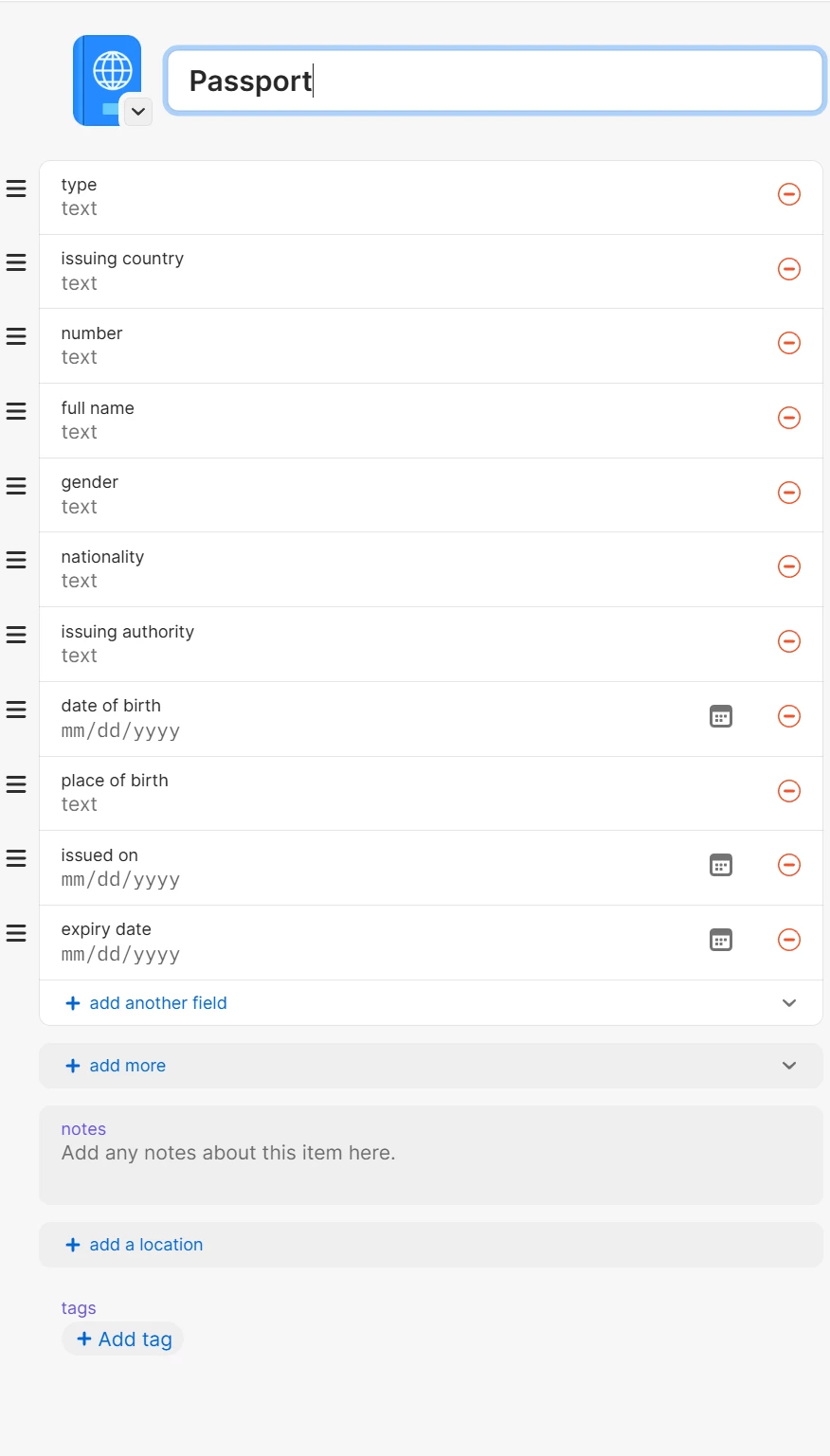
Unfortunately this is not yet solved, at least not on my PC. My Windows date settings is set to United Kingdom so DD/MM/YYYY, but the Passport date fields are still MM/DD/YYYY. See screenshot. 


The Passport is in a family vault, if that makes a difference.


1 reply

Sep 20, 2026 1:14 PM UTC

Hi, it seems the problem is still visible in the current Beta build. I am on Windows 11, region/date settings are United Kingdom (the date format is DD/MM/YYYY in the Windows taskbar). In the Passport item, both when editing and viewing the item, the date format is stil MM/DD/YYYY.