

Question
Wrong date format when editing items
In the 1Password desktop app for Linux, the date format when *viewing* an item respects my locale settings, but the settings are ignored when *editing* an item.
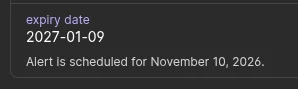
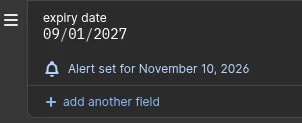
When editing, it uses `dd/mm/yyyy` format instead of ISO 8601 as configured in the system’s locale settings.
$ localectl
System Locale: LANG=en_GB.UTF-8
               LANGUAGE=en
               LC_NUMERIC=en_SE.UTF-8
               LC_TIME=en_SE.UTF-8
               LC_COLLATE=sv_SE.UTF-8
               LC_MONETARY=en_SE.UTF-8
               LC_PAPER=sv_SE.UTF-8
               LC_NAME=sv_SE.UTF-8
               LC_ADDRESS=sv_SE.UTF-8
               LC_TELEPHONE=en_SE.UTF-8
               LC_MEASUREMENT=sv_SE.UTF-8
               LC_IDENTIFICATION=sv_SE.UTF-8
    VC Keymap: (unset)
   X11 Layout: eu
$ date
2026-09-28T23:10:10+02:00
$ date +"%c"
2026-09-28T23:10:16%:z
$ date +"%F"
2026-09-28
$ date +"%x"
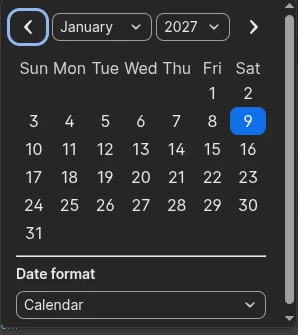
2026-09-28The date picker also shows Sunday as the start of the week, despite the system locale having it set to Monday:
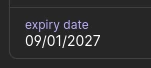
In the browser extension on Firefox, the display format is *also* wrong:
1Password desktop version: 1Password for Linux 8.12.36 (81236042)
Browser extension: 8.12.32.33