


3. AI Spend and Consumption Management

A new kind of spend, with a new kind of risk
Every previous chapter in this guide deals with a version of the same problem, a gap between what IT can see and what employees use. This gap appears as an unapproved tool, an unmanaged permission, or spend nobody tracked until the invoice arrived. AI tools widen that gap because their costs can change with usage.
Traditional SaaS is priced per seat, which makes it predictable. A 1000-seat contract costs the same in month three as it does in month eleven, whether people log in or not. However, AI tools are frequently priced by consumption of tokens, API calls, or compute minutes. A developer team experimenting with an AI coding assistant, or a support team running conversations through a large language model, can generate a bill that doubles from one month to the next simply because usage picked up.
Finance and IT teams could handle that volatility if they could predict it. But because AI spending is usually tracked in separate vendor dashboards like OpenAI, Anthropic, and Cursor, most teams can’t connect spend with the rest or other SaaS tools.
Shadow AI moves faster than shadow SaaS
Employees already connect to AI tools through personal accounts, expense reports, or company cards, often the same way shadow SaaS shows up, as covered in Chapter 2. The difference is what happens after adoption. An unused SaaS license is a fixed, capped cost. An unmonitored AI integration is an open-ended one, since the bill scales with usage that nobody is watching.
AI Spend and Consumption Management makes usage-based AI spend as visible and governable as seat-based SaaS spend already is.
Connect AI spend and consumption across vendors
1Password SaaS Manager extends the same discovery and reporting model used for SaaS to AI tools. Connect OpenAI (ChatGPT), Anthropic (Claude), Cursor, or Amazon Bedrock to bring consumption data into the same system of record as the rest of the SaaS stack
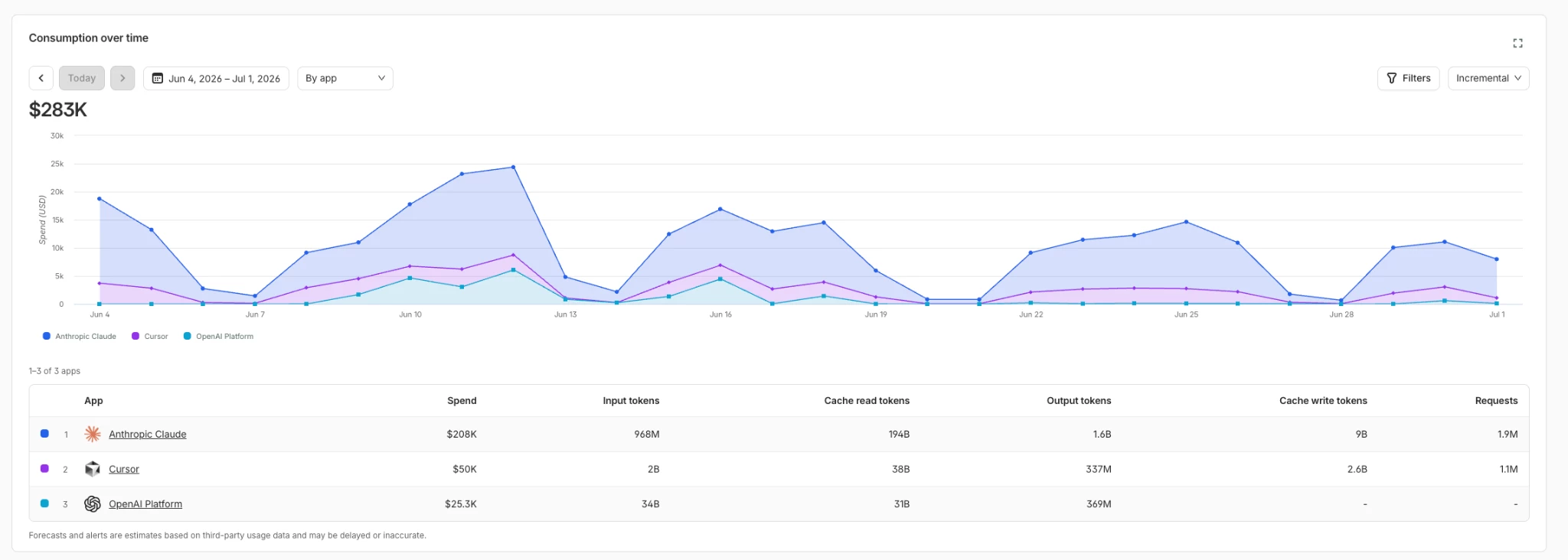
Then, break down your AI spend by team, user, API key, and cost center, and shown alongside SaaS spend in the same platform instead of a separate report finance has to manually reconcile . This gives IT and Finance a clearer view of which tools and models drive spend, which teams use them, and how usage changes over time.
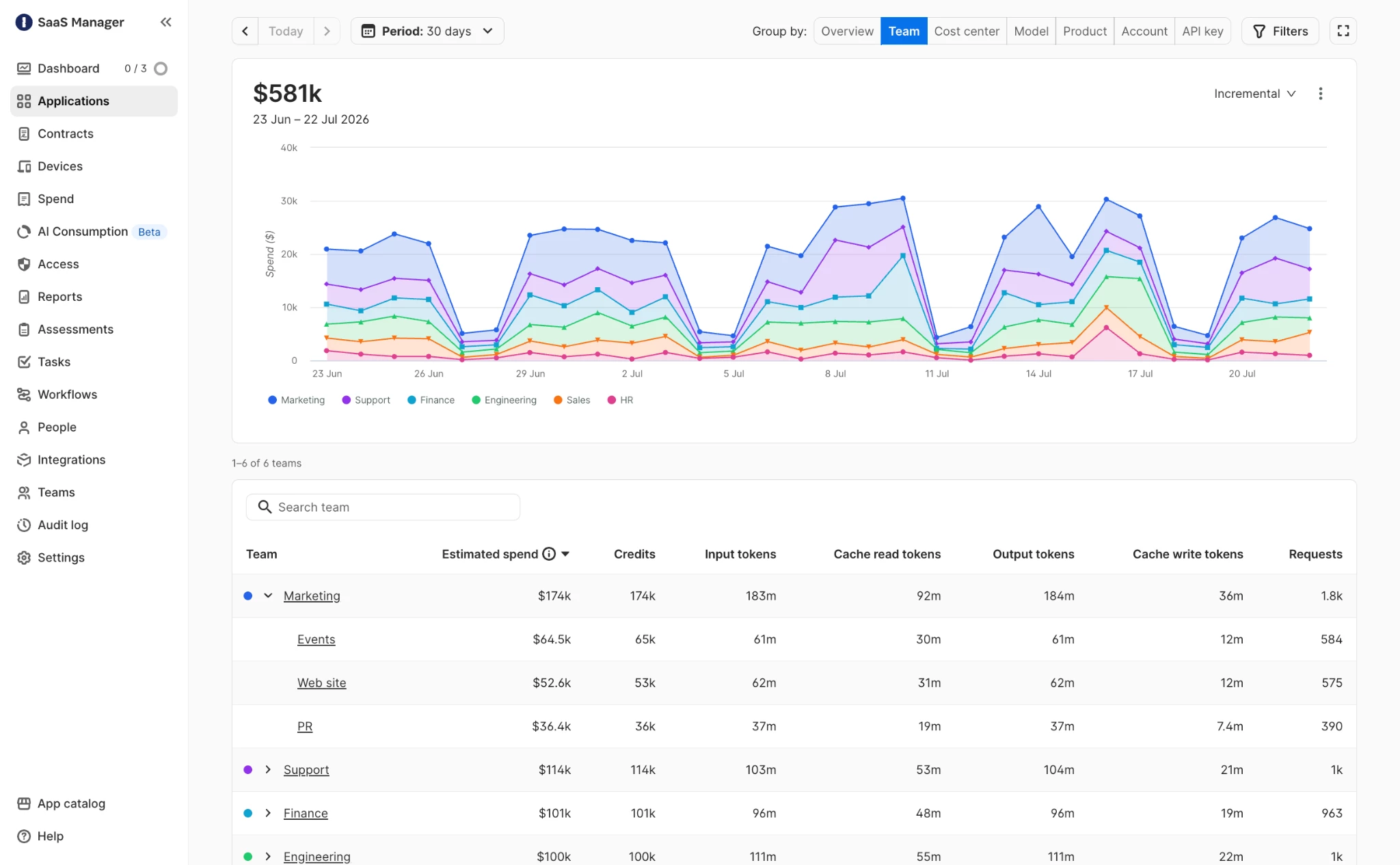
Set budgets and prevent overages
Visibility alone won't stop a budget from being blown; it just confirms it after the fact. 1Password SaaS Manager lets teams set budgets against their contractual AI commitments and configure Slack or email alerts at 50% and 90% of a budget, giving IT and finance time to intervene before an overage happens rather than explaining one after the invoice lands. Treat these alerts the way Chapter 8 treats a license utilization thresholds like an early signal, not a postmortem.
Use consumption data to optimize AI spend
Once consumption data and budgets are in place, teams can evaluate AI spend by what it produced, not just what it cost. That might mean confirming a team's AI spend is translating into real output, or catching a workflow that defaulted to an expensive model when a cheaper one would do the job just as well. It's the same question Chapter 8 asks about unused SaaS licenses, applied to a different pricing model.
Over time, this turns AI spend into a baseline teams understand, budgets that reflect real usage, and alerts that catch problems while there's still time to act on them.
Chapter 4 covers how 1Password SaaS Manager automates the employee lifecycle, from onboarding to offboarding, so every access decision, AI included, follows the same repeatable, auditable process.
Next: From onboarding to offboarding: automating the employee lifecycle