


The Quick Access shortcut is Changing in macOS Golden Gate
Hello everyone!
macOS 27, also known as macOS Golden Gate, will be released on Monday, September 14th, 2026. We’ve been testing the beta throughout the summer to make sure 1Password works smoothly when you update your devices.
macOS Golden Gate introduces Visual Intelligence, a new feature that lets you ask Siri about what’s on your screen. It uses the keyboard shortcut Shift + Command + Spacebar, which conflicts with 1Password’s shortcut for Quick Access.
To avoid this conflict, you can change the Quick Access shortcut in 1Password:
- Open and unlock the 1Password for Mac app.
- In the menu bar, click 1Password next to the Apple menu.
- Select Settings, then General.
- Change the shortcut for Show Quick Access to a different key combination.
Alternatively, you can keep using Shift + Command + Spacebar in 1Password and change the Visual Intelligence shortcut instead:
- Open macOS System Settings.
- Select Keyboard, then Keyboard Shortcuts.
- Select Screenshots.
- Change the shortcut for Ask Siri about active window to a different key combination.
Starting with 1Password for Mac version 8.12.38, scheduled for release on September 22nd, Quick Access will display a “The Quick Access Shortcut is Changing” message the first time you use it. The default Quick Access shortcut will then change to Option + Command + \ for anyone using 1Password on macOS Golden Gate.
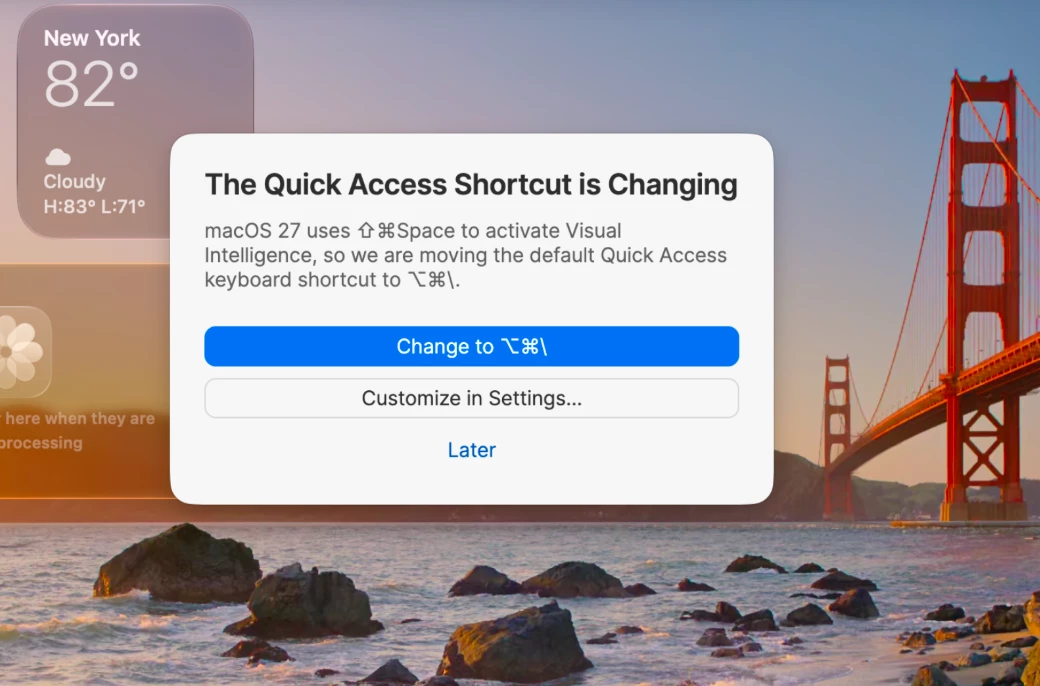
Thanks, and enjoy 1Password on macOS Golden Gate!
-Dave