Protect what matters – even after you're gone. Make a plan for your digital legacy today.
Forum Discussion

Former Member
5 years agoHide on this page / disable for certain input fields
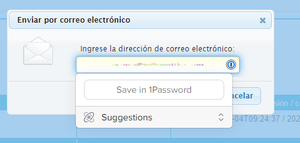
The password selection popup using the browser plugin (Chrome, Edge) is shown on many fields which in my opinion do not have to do with what is stored in the password manager. For example it shows wh...
Former Member
5 years agoHi @ag_ana,
Thanks for your reply!
I cannot share the specific example from before because it was part of a payment form, which was quite far along in the process of payment. But you can have a look at https://www.jotform.com/form-templates/new-customer-registration-form page, which is a generic registration form example. 1Password shows in all address fields.
I'm not sure if the behavior changed today (using Edge), because now the modal does not show anymore, but the 1Password icon is still shown. Clicking on the icon does not do anything, not even open the application.
Regarding the settings: where do I find this setting? On my settings page (Edge and Chrome) I do not see the setting you mentioned.
Regarding "hide on this page": I think there was an exclusion list for certain domains in previous versions. I unfortunately don't see this in the new beta version anymore. In my case, I used this a lot for localhost, internal and/or banking websites, so it would really be useful to have this feature back.


