Aug 8, 2026 6:17 PM UTC
Solved

Broken Autofill at GEICO

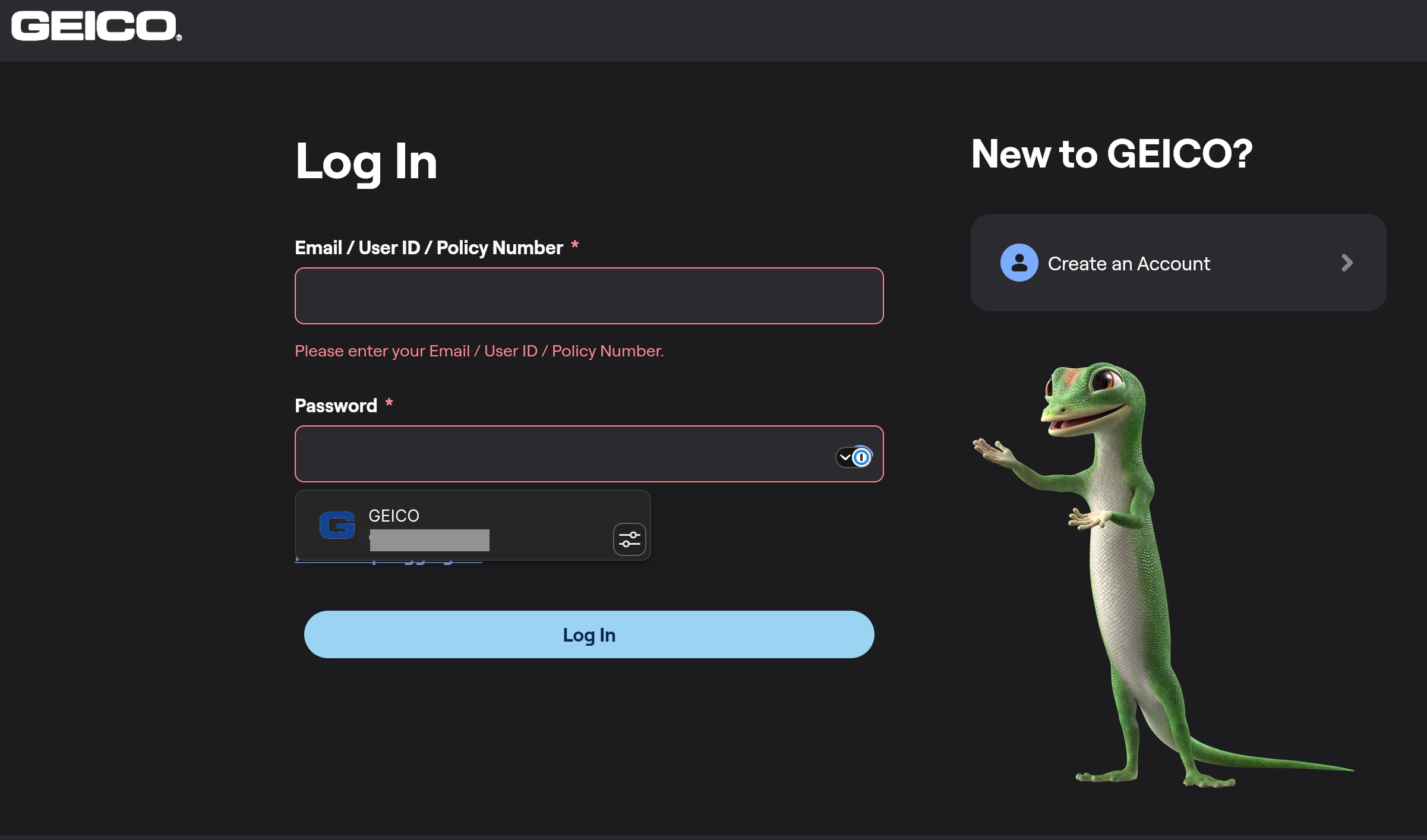
Browser based auto fill does not work in the GEICO insurance customer portal located at https://ecams.geico.com . The outcome is the same whether launched from the toolbar or from the in-line 1Password icon at the password field. No text appears in the username or password fields, and the red box and red text appear indicating that these fields are empty.


Browser: Vivaldi Version 8.1.4087.62 (Official Build) (arm64); Chromium Version 150.0.7871.226

Plugin: 1Password Chrome Extension 8.12.30.21

OS: macOS 26.5.2
 

kelton
keltonAnswer
1Password Employee
Nov 4, 2026 5:52 PM UTC

Hey all!

My name is Kelton and I’m on the Filling & Saving team at 1Password. I’ve been personally looking into this issue for a couple weeks now and our team is actively working towards a resolution. The main issue is that GEICO’s site is built with Flutter, so it doesn’t use regular web forms like most sites do, and that makes it hard for us to fill reliably.

The good news is that there is a community pull request on Flutter’s GitHub to address this issue from their end, but we also recognize it may take some time for these changes to roll out. We are looking into workarounds that we can put in place until this is fully resolved.

I hope some of this context helps and we appreciate your patience! Stay tuned for further updates.

Kelton

9 replies

AJCxZ0
Aug 8, 2026 11:45 PM UTC

Reproduced with up-to-date Google Chrome with 1Password beta extension on Fedora 44 Workstation.


The two input fields’ sources are

<input spellcheck="false" autocorrect="off" autocomplete="email" data-semantics-role="text-field" aria-invalid="true" type="text" style="position: absolute; top: 0px; left: 0px; width: 496px; height: 48px;" placeholder="" name="email" id="email" data-com-onepassword-filled="light" inputmode="email" autocapitalize="none">

<input spellcheck="false" autocorrect="off" autocomplete="current-password" data-semantics-role="text-field" aria-invalid="true" type="password" style="position: absolute; top: 0px; left: 0px; width: 496px; height: 48px;" placeholder="" name="current-password" id="current-password" data-com-onepassword-filled="light">

Aug 30, 2026 12:25 AM UTC

Same issue here. Windows 11 Home 25H2 build 26200.9168, Chrome 151.0.7922.174 (64-bit)

1P_Gem
1Password Alum
Sep 3, 2026 8:29 AM UTC

Hi ​@codybj, ​@AJCxZ0, and ​@tonyle, sorry for the delayed response here!

I’ve done some testing on my end, and I’m able to reproduce this behaviour as well. I’ve filed a bug report for our developers to investigate further.

Nov 4, 2026 5:41 AM UTC

Any updates on this? I too have the same issue.

kelton
1Password Employee
keltonAnswer
1Password Employee
Nov 4, 2026 5:52 PM UTC

Hey all!

My name is Kelton and I’m on the Filling & Saving team at 1Password. I’ve been personally looking into this issue for a couple weeks now and our team is actively working towards a resolution. The main issue is that GEICO’s site is built with Flutter, so it doesn’t use regular web forms like most sites do, and that makes it hard for us to fill reliably.

The good news is that there is a community pull request on Flutter’s GitHub to address this issue from their end, but we also recognize it may take some time for these changes to roll out. We are looking into workarounds that we can put in place until this is fully resolved.

I hope some of this context helps and we appreciate your patience! Stay tuned for further updates.

Kelton

Nov 4, 2026 7:38 PM UTC

Thanks for the update! Hope you all can figure out a solution. 

kelton
1Password Employee
1Password Employee
Nov 10, 2026 7:02 PM UTC

Hey all!
 

The temporary workaround is now in the latest nightly, 8.12.48-18. It’s currently planned for the 8.12.48 stable release on December 1, but that date may change.


Please let me know if you run into any issues. Thanks again for your patience!


Kelton

Nov 11, 2026 10:09 PM UTC

Thank you @kelton! Looking forward to the update. In the meantime, Geico has started accepting passkeys which provides similar convenience to autofill (and better security to boot).

Nov 12, 2026 3:21 PM UTC

Hey, I ran into the same issue on Chrome 151 on Fedora, but after updating to the latest nightly (8.12.48-18) the autofill works again. If you haven’t tried that yet, give it a shot.