
Expiry Alerts - Unintuitive, Poorly Labelled and Unimproved...
The "Expiry Alerts" feature is currently unintuitive and poorly labelled. It has remained unchanged for over a year despite user feedback.
I primarily want to use this feature for software licences that expire a set time after purchase. However, the current implementation only allows past dates to be selected. Setting an expiry date prior to the “purchase date” immediately flags a new licence as "expired," which makes absolute zero sense, if this is not the intended purpose of this feature, then the labelling should be improved to make it feel less counterintuitive.
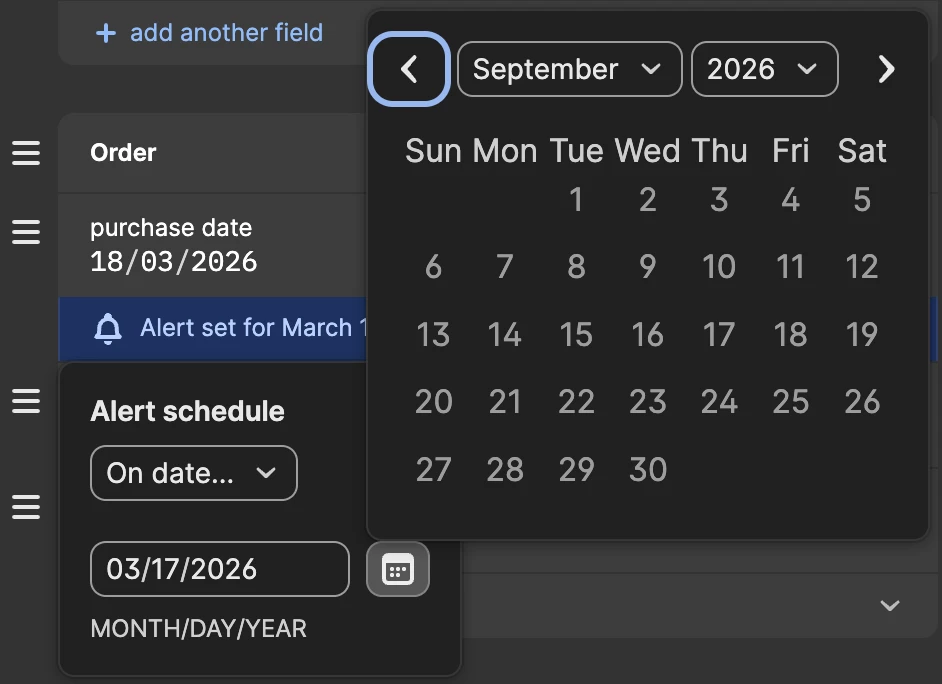
Additionally, I am unable to manually set a future date. Because future dates are greyed out in the calendar, typing a date directly into the field does not work.
While there are workarounds, such as manually creating a new field or renaming the "purchase date" field to "renewal date," the core issue remains. Could the team please clarify the intended functionality or update the labelling to make it more intuitive?
Poor UI labelling = poor UX. Why would anyone set a “purchase date” in the future? Nonsense!
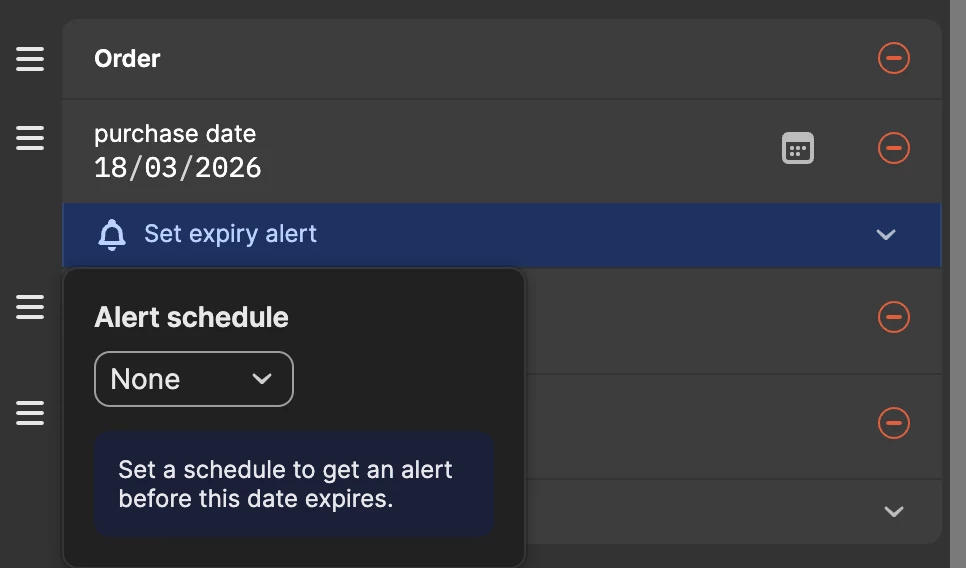
Alert schedule calendar - future dates are non-selectable in calendar and future dates typed in manually do not work - also, the date format does not match system date format, as reported elsewhere
I tried to reply in one of the linked threads pertaining to the issue but didn’t seem able to do so, I’m guessing that’s due to the threads being posted as questions and marked as ‘solved’, despite not really being fixed or ‘solved’ at all. So I've opened this thread as a discussion rather than a question in the hope that we can have a live thread and actually get some movement on these issues being resolved...over a year after first reports were made by users about these issues.