Nov 10, 2026 2:25 PM UTC
Solved

Fastmail and 1P integration broken

1Password for Mac 8.12.44
1Password for Safari 8.12.44.33
Safari Version 27.2
MacOS 27.2

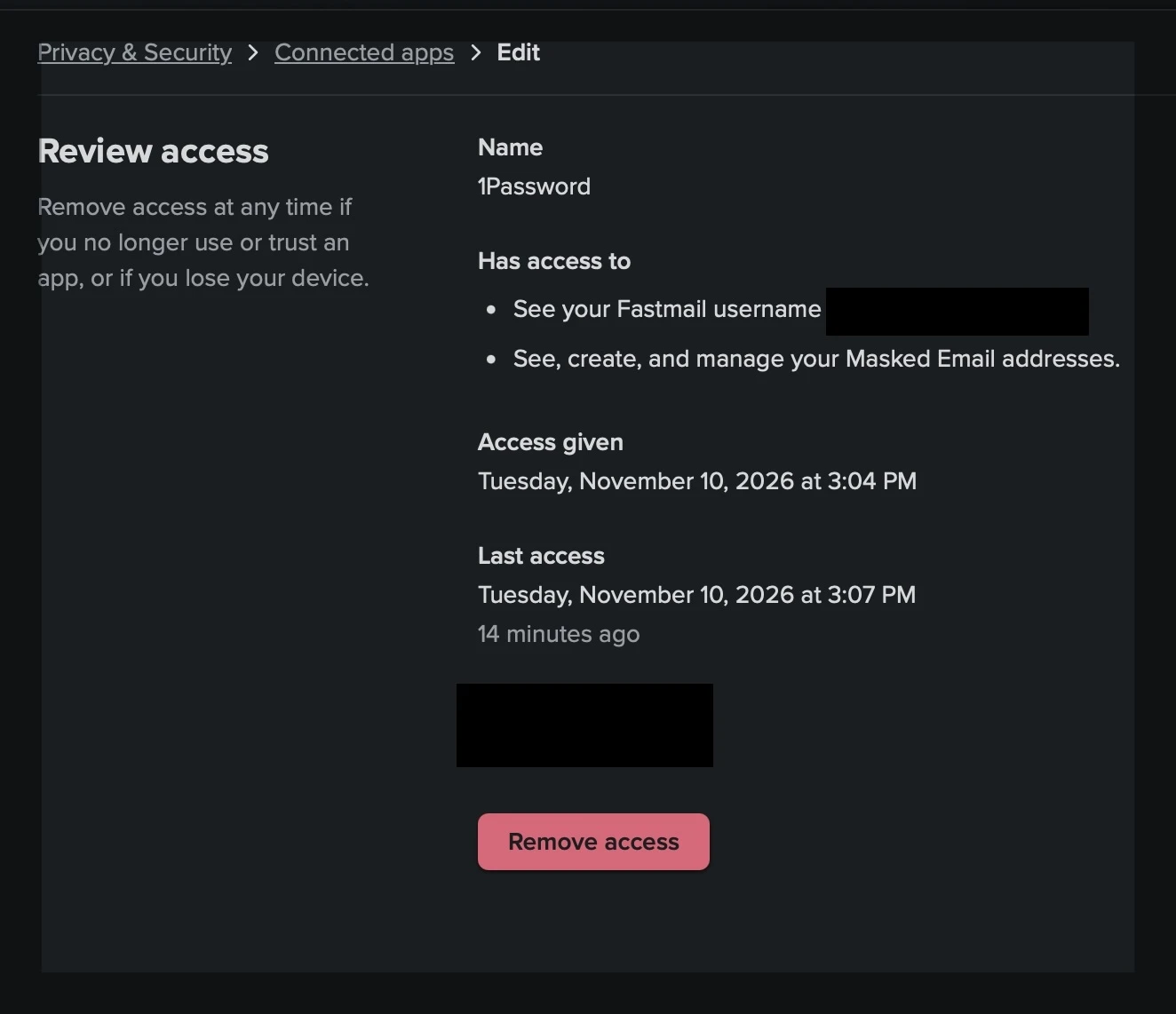
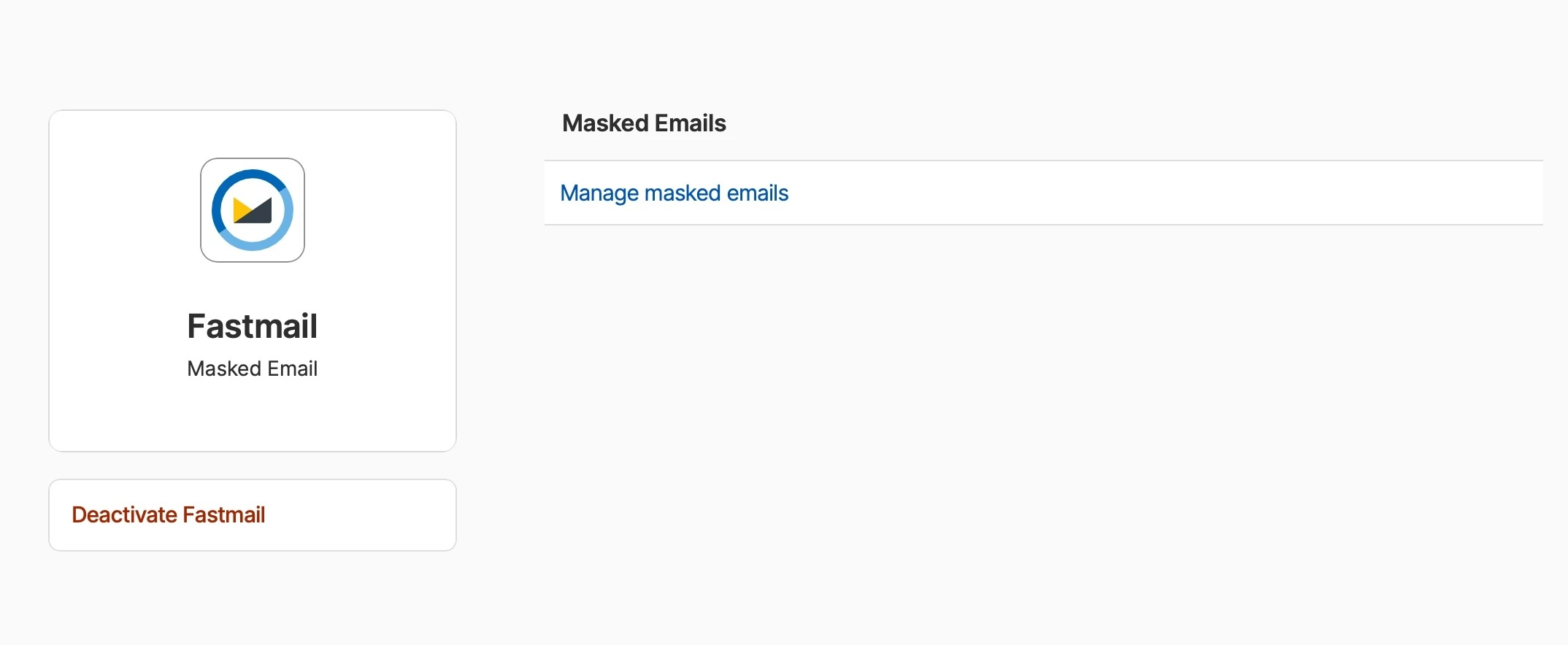
I have Fastmail and 1P integrated (per screenshots), however I have no option to use a masked email when filling in any email field in any form.

I have revoked access in Fastmail and 1P and then relinked them many times (this seems to be the main fix suggested in other similar threads), but to no avail. What else can I check or do to get this working?

Thanks.


1P_Dave
1P_DaveAnswer
1Password Employee
Nov 10, 2026 3:51 PM UTC

Hello ​@ChrisE! 👋

I’m sorry that 1Password’s masked email alias feature isn’t working in Safari. I suspect that you have macOS AutoFill support enabled, which will suppress 1Password for Safari’s filling features including masked email alias generation. Try these steps to turn off macOS AutoFill:

  1. Click on the Apple logo in the top left corner of your screen in the menu bar, then click System Settings. 
  2. Click General, then click AutoFill & Passwords. 
  3. Turn off “AutoFill Passwords and Passkeys”.

Then, in Safari follow these steps to turn off the built-in password manager: Turn off the built-in password manager in your browser

That said, I’m now seeing these errors in the Extension pane in Safari. Does that help diagnose this?

Those errors shouldn’t be related, they’re surfaced in macOS 27 and our developers are looking into them separately. 

After turning off macOS AutoFill, restart both Safari and 1Password. Then try to fill your masked email alias again. Let me know if it works now. 

-Dave

5 replies

Nov 10, 2026 2:41 PM UTC

Make sure the Fastmail integration is actually enabled in 1Password’s Preferences → Accounts → Fastmail (and that your account is set as the default). Also double‑check the Safari extension options – the “Use 1Password for autofill” toggle must be on. If it still won’t show masked emails, try clearing Safari’s cache or restarting the browser after you re‑link the accounts.

ChrisEAuthor
Nov 10, 2026 2:52 PM UTC

Make sure the Fastmail integration is actually enabled in 1Password’s Preferences → Accounts → Fastmail (and that your account is set as the default). Also double‑check the Safari extension options – the “Use 1Password for autofill” toggle must be on. If it still won’t show masked emails, try clearing Safari’s cache or restarting the browser after you re‑link the accounts.


Thanks for the quick reply James. Not sure where to find  Preferences → Accounts → , should that be in the browser or the Mac app?

That said, I’m now seeing these errors in the Extension pane in Safari. Does that help diagnose this?

[ContextMenu] (background/background.js:87:10796)
Error
Error: WASM is not initialized, unable to make core call. (background/background.js:81:18337)
[Browser] (background/background.js:37:1413)


1P_Dave
1Password Employee
1P_DaveAnswer
1Password Employee
Nov 10, 2026 3:51 PM UTC

Hello ​@ChrisE! 👋

I’m sorry that 1Password’s masked email alias feature isn’t working in Safari. I suspect that you have macOS AutoFill support enabled, which will suppress 1Password for Safari’s filling features including masked email alias generation. Try these steps to turn off macOS AutoFill:

  1. Click on the Apple logo in the top left corner of your screen in the menu bar, then click System Settings. 
  2. Click General, then click AutoFill & Passwords. 
  3. Turn off “AutoFill Passwords and Passkeys”.

Then, in Safari follow these steps to turn off the built-in password manager: Turn off the built-in password manager in your browser

That said, I’m now seeing these errors in the Extension pane in Safari. Does that help diagnose this?

Those errors shouldn’t be related, they’re surfaced in macOS 27 and our developers are looking into them separately. 

After turning off macOS AutoFill, restart both Safari and 1Password. Then try to fill your masked email alias again. Let me know if it works now. 

-Dave
ChrisEAuthor
Nov 10, 2026 5:13 PM UTC

Thank you Dave, following those steps got it working.

I’ve recently returned to using 1Password after a long time away (won’t happen again 😉) and things have changed a little…

Thanks again.

1P_Dave
1Password Employee
1Password Employee
Nov 10, 2026 9:09 PM UTC

We’re glad to have you back and I’m happy that the steps in my previous reply helped! 

-Dave