Oct 21, 2026 8:19 AM UTC
Question

Log into OED
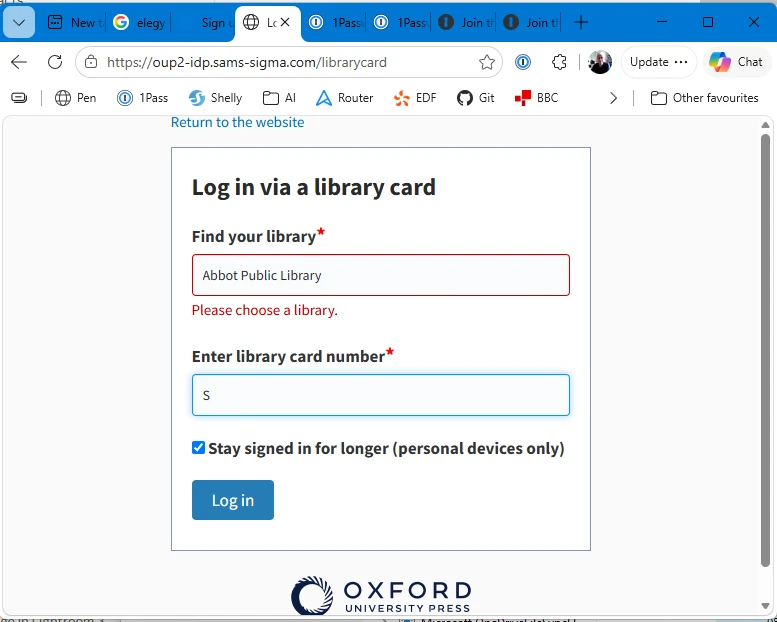
 

How do I go about storing the content of these two fields so that they’re completed by 1Password and not manually by me?

3 replies

Trevor_1P
1Password Employee
1Password Employee
Oct 29, 2026 8:33 PM UTC

Hi ​@jacquesfrancis,

As a first step, could you try manually entering your details without signing in, then right click the 1Password icon in your browser’s toolbar and select Save > Login?

I wasn’t able to access the website myself, so if that doesn’t work, I’d like to ask that you email the team at support@1Password.com the page structure. You can collect the structure by following the steps below:

  1. Right-click the 1Password icon in your browser’s toolbar.
  2. Select Help > Collect Page Structure.
  3. Attach the JSON file to an email to support@1Password.com.

With your email please include:

- A link to this thread:https://www.1password.community/1password-at-home-31/log-into-oed-25866

- Your forum username: jacquesfrancis

You should receive an automated reply from our BitBot assistant with a Support ID number.  Please post that number here.  Thank you!


Nov 9, 2026 10:04 AM UTC

All attempts to email support result in an NDR and this message:

Your message did not reach some or all of the intended recipients.


      Subject:     https://www.1password.community/1password-at-home-31/log-into-oed-25866

      Sent:  09/11/2026 10:03


The following recipient(s) cannot be reached:


      'support@1Password.com.' on 09/11/2026 10:03

            503 5.5.1 specifications. a640c23a62f3a-c4d6a474e10sm145423066b.38 - gsmtp

Trevor_1P
1Password Employee
1Password Employee
Nov 13, 2026 5:36 PM UTC

Hi ​@jacquesfrancis,

To confirm, if you try sending the email again, are you still seeing that same error? If so, could you confirm what email provider you’re using?

If possible, are you also able to try sending the email from a different email address?