

Solved
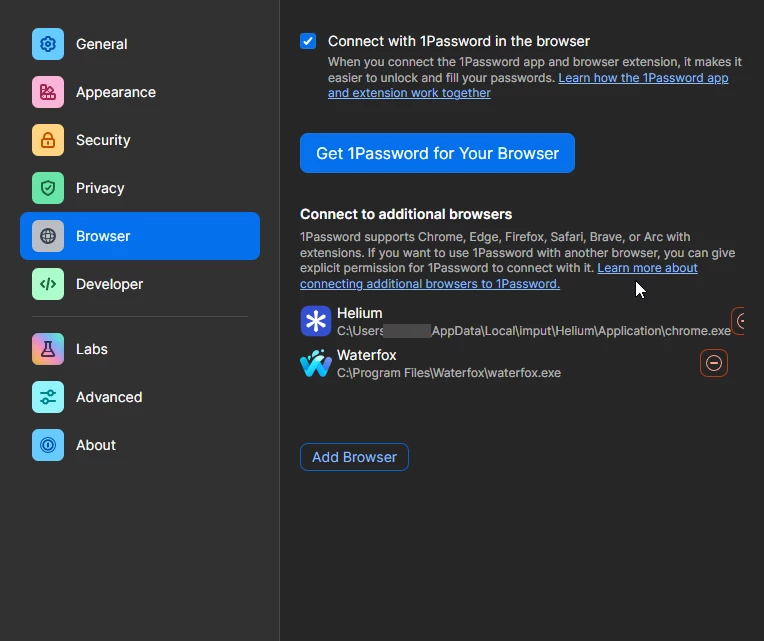
Long browser address hides the Remove button in "Connect to additional browsers"
Adding a browser with a very long address in Settings - Connect to additional browsers causes the address to overlap the Remove button, making it hard to Remove
Steps to reproduce
1. Open Settings.
2. Go to Connect to additional browsers.
3. Add a browser using an long address.
4. Try remove that browser.
Environment
- Windows 10
- 1920 × 1080
- Display scaling: 100%
Screenshot attached.