johnnygoodface
October 2, 2026
Solved

Multiples sign in suggestions in 1Password Extension in Safari

  • October 2, 2026
  • 1 reply
  • 0 views

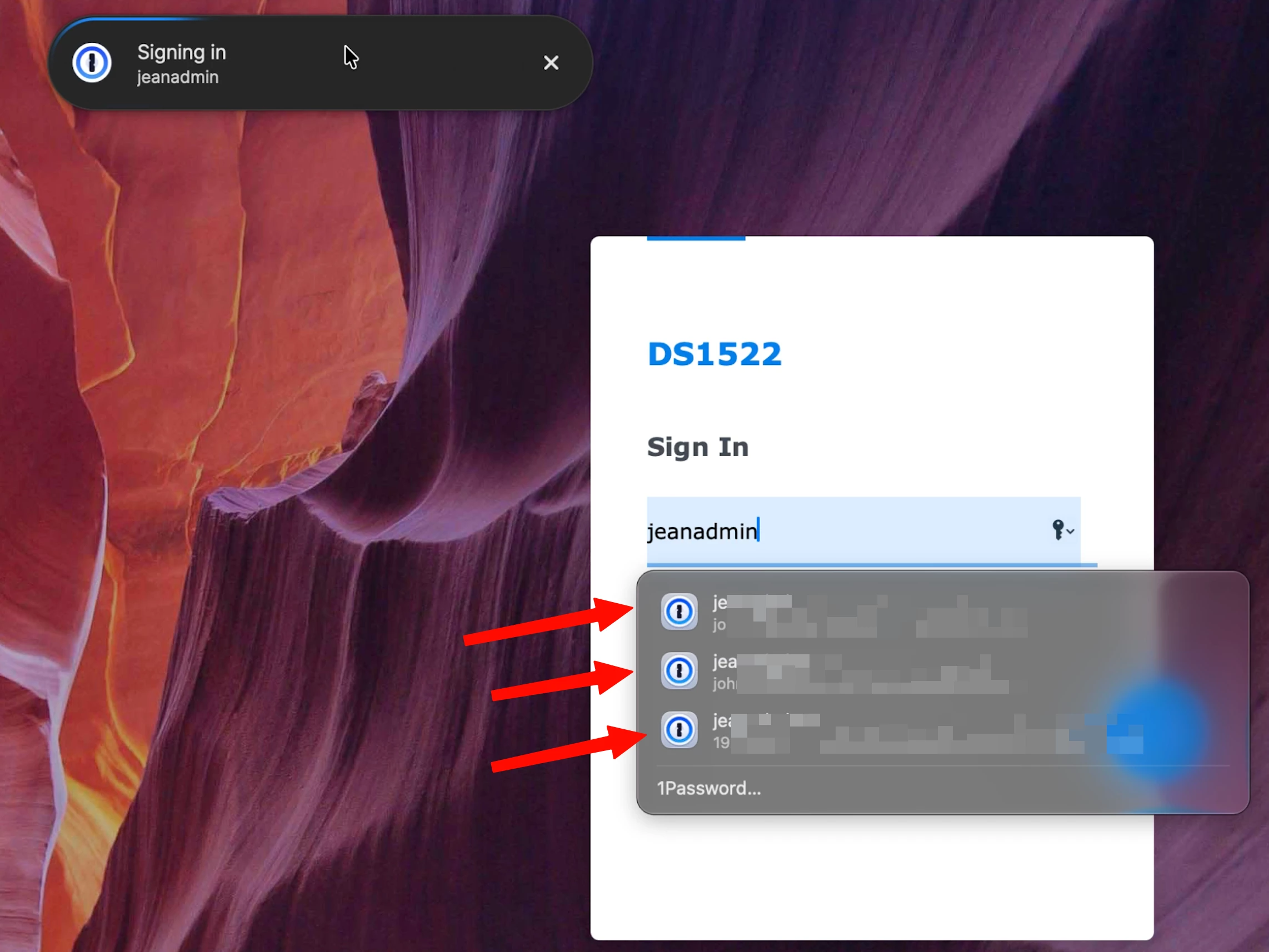
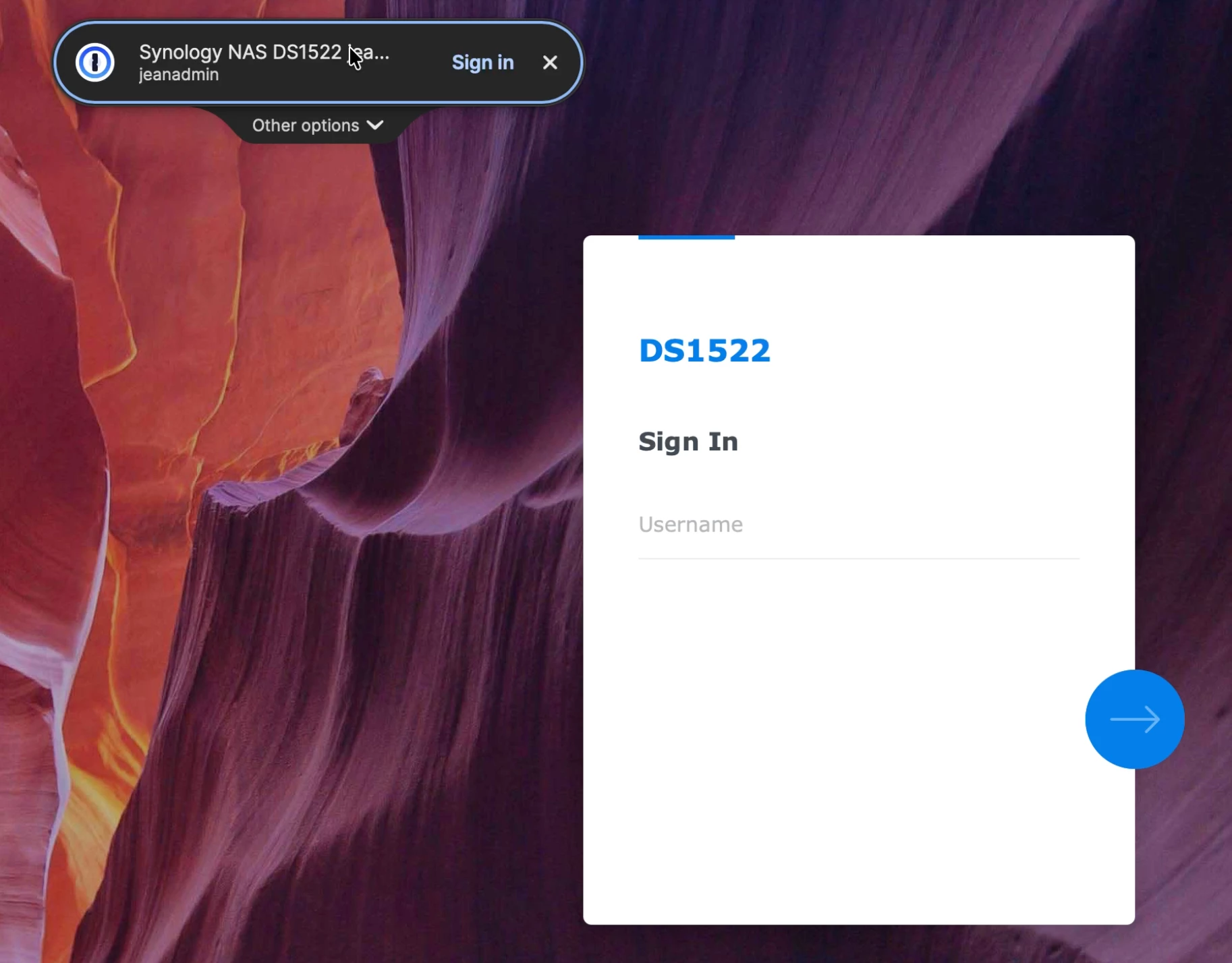
Since very recently, each time I use the universal sign in for login (see below), 1Password now display all login choices at each step of the login process (see next picture). It looks very cumbersome and is very distracting. Can we turn those off in 1Password Extension Settings (Safari): I tried everything to no avail. 
 

Best answer by 1P_Dave

Hello ​@johnnygoodface! 👋

Thank you for the question! It looks like macOS AutoFill is enabled, so you’re seeing suggestions from native AutoFill beneath the username and password fields at the same time as suggestions from 1Password in your browser, shown as the universal sign-in prompt at the top of your screen.

If you’d prefer to use universal sign-in, you can turn off native AutoFill in Safari:

  1. Open Safari. 
  2. Click on Safari in the top left corner of the screen in the menu bar, then click Settings. 
  3. Click AutoFill. 
  4. Turn off “Usernames and passwords”.

I hope that helps! 

-Dave

1 reply

1P_Dave
1Password Employee
1P_DaveAnswer
1Password Employee
October 2, 2026

Hello ​@johnnygoodface! 👋

Thank you for the question! It looks like macOS AutoFill is enabled, so you’re seeing suggestions from native AutoFill beneath the username and password fields at the same time as suggestions from 1Password in your browser, shown as the universal sign-in prompt at the top of your screen.

If you’d prefer to use universal sign-in, you can turn off native AutoFill in Safari:

  1. Open Safari. 
  2. Click on Safari in the top left corner of the screen in the menu bar, then click Settings. 
  3. Click AutoFill. 
  4. Turn off “Usernames and passwords”.

I hope that helps! 

-Dave