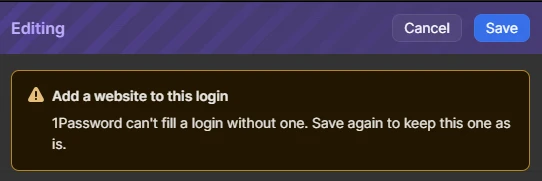
Any way of disabling this warning? It forces the user to need to press [save] twice. We have had 3 incidents of passwords not being saved because the user assumed the save button would save the password.
Edit: To expand on this - outside of the employee vault, most of our passwords don’t have websites, so this is adding unwanted friction to the password workflow.
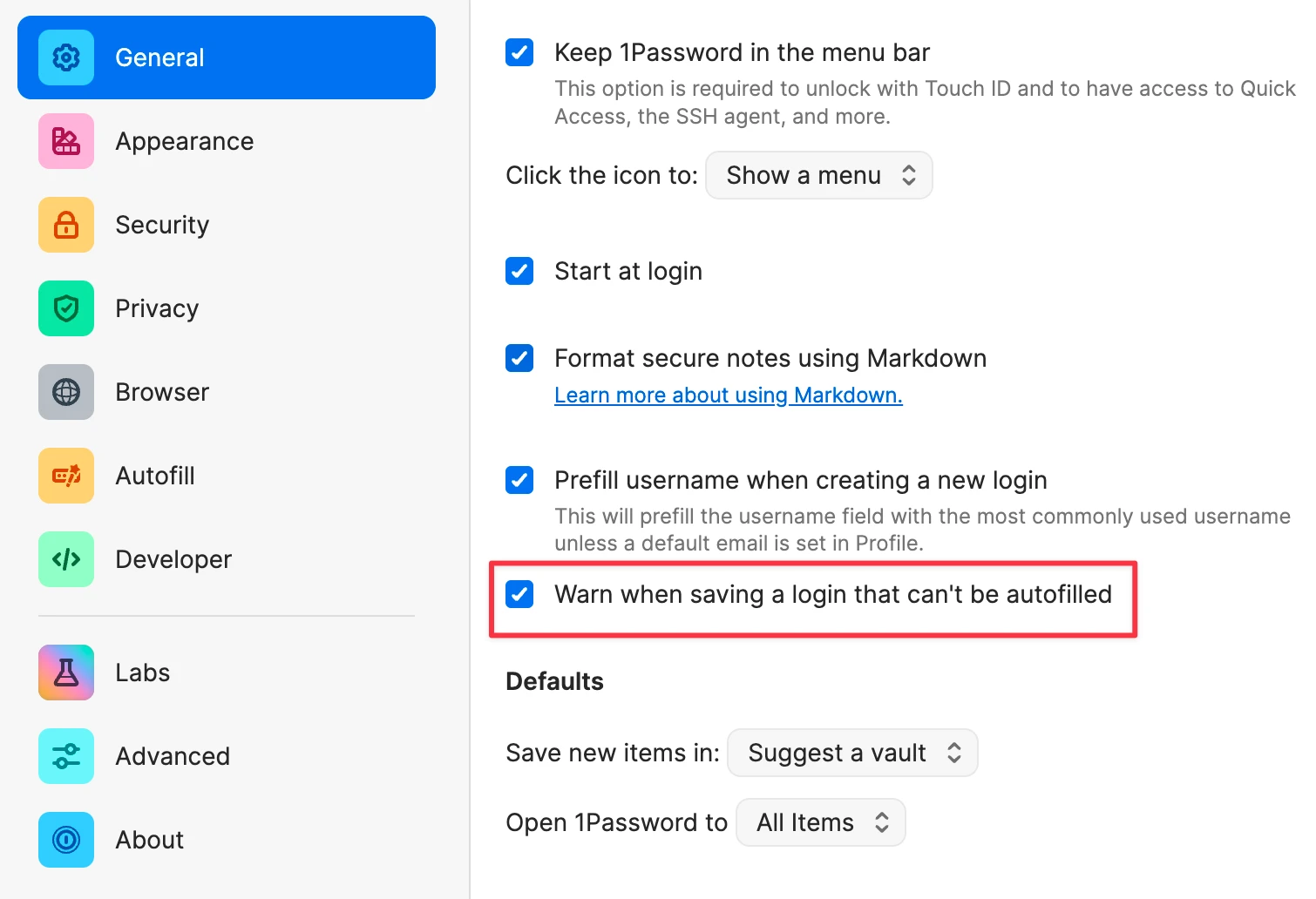
Thank you for all of the feedback that’s been shared in this thread. Our development team is planning to release a user-configurable setting to turn the “Add website to this login” feature off if a user wishes to do so. We’re currently testing this setting in the nightly version of the 1Password app, here’s a preview:
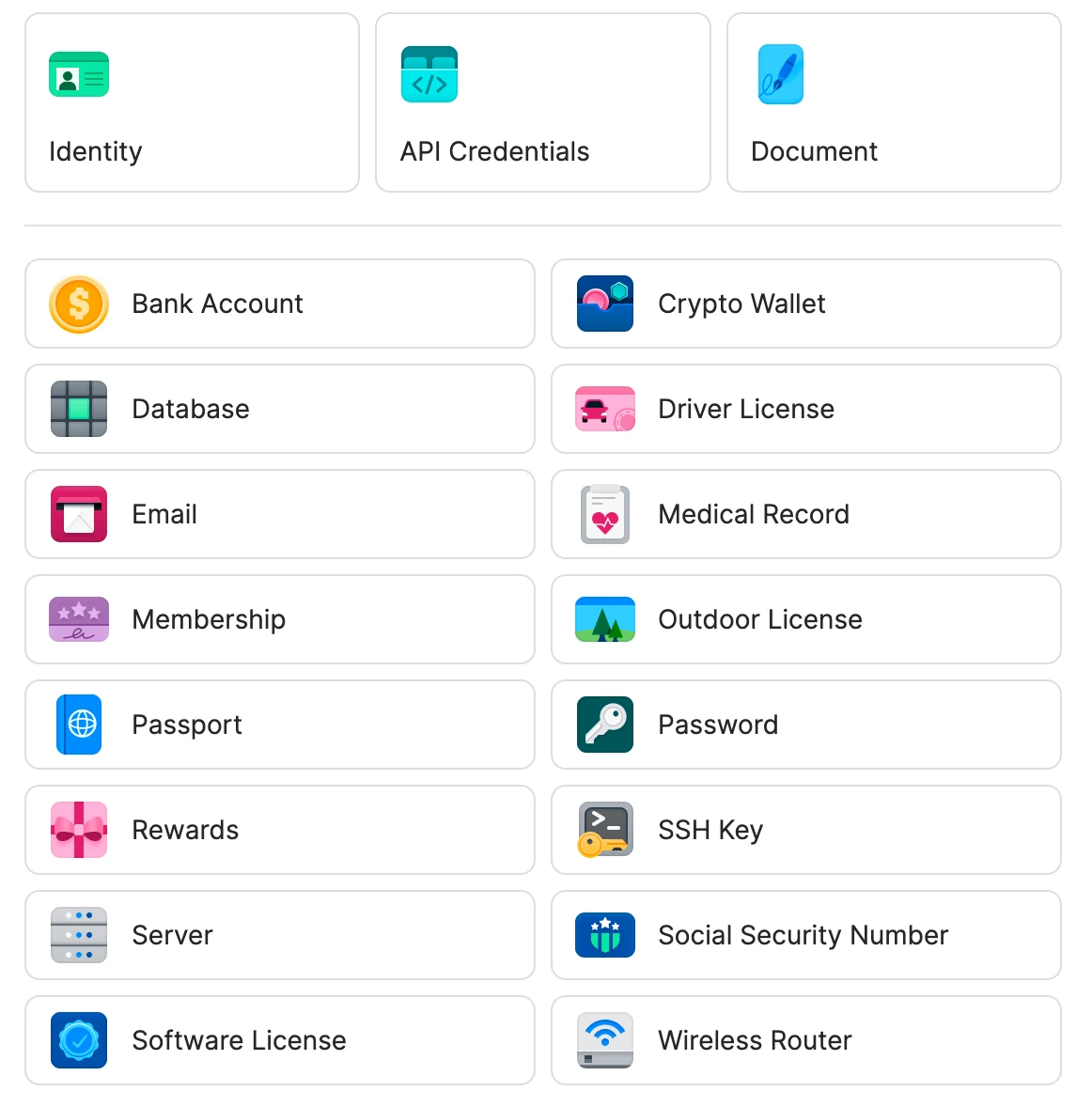
That said, much of the feedback in this thread mentioned that the warning was appearing for items that don’t include a website address, such as routers, databases, and servers. Login items, which are the items that display this warning, are designed to be used in a browser. For other types of credentials, choosing the item type that best matches what you’re storing can help avoid this warning and keep everything organized. For example, router credentials can be stored in a Wireless Router item instead of a Login item:
The warning will only appear for Login items, not for the other types of items you can save in 1Password.
Thanks again for all of your feedback. Once testing is complete, we hope to roll out the setting mentioned above to the production version of 1Password as soon as possible. We’ll continue iterating on this feature to make it as useful as possible for everyone.
Thank you for the feedback! If a saved Login item doesn’t have a website address, 1Password can’t determine whether it belongs to the page or app you’re visiting, so it won’t appear when you try to sign in. This feature helps ensure that each Login item includes everything 1Password needs to sign you in successfully: a username, password, and website address.
The feature is non-blocking so if you’d prefer to save a Login item without a website then you can choose Save again and the item will be saved (as you mentioned in your post). There isn’t currently a way to turn this feature off but, that being said, I can definitely share that request with our team internally.
outside of the employee vault, most of our passwords don’t have websites, so this is adding unwanted friction to the password workflow.
So that I can better understand your use case, can you tell me a little more about this? I don’t believe that I’ve seen a use case before where the majority of a user’s passwords include a username but not a website address. If you’re able to share, what are the passwords being used for?
I also see that you added the “secrets management” tag which refers to a product for developers, are you able to share how that relates to this feature?
I'd like to add my support for the ability to disable this warning.
I work in enterprise infrastructure, and a significant number of the credentials we manage have no associated website. This is an entirely normal use case in IT environments.
Some examples include:
SSH and local Linux accounts
Network switches, routers, and firewalls
Hypervisor and virtualization infrastructure
Storage arrays and management interfaces
Database and service accounts
Application credentials and API secrets
Out-of-band management interfaces
Recovery and break-glass credentials
Many of these credentials are used through SSH, command-line tools, management consoles, APIs, or other mechanisms that have nothing to do with browser-based authentication.
I also tested this behavior and confirmed that the warning appears for Password items, not just Login items. Consequently, the explanation that a Login requires a website for autofill doesn't adequately explain why this warning is necessary.
More importantly, the original poster has already identified a legitimate operational concern: users believe they've saved credentials when they haven't. Requiring users to click Save twice introduces unnecessary friction and creates opportunities for mistakes in a security-critical application.
A password manager should accommodate different authentication workflows rather than assume every credential belongs to a website.
I manage a lot of passwords, many of which are for credentials that aren’t bound to a specific url. Recently, 1password has started preventing me from saving records without urls attached without additional confirmation. Is there any way to turn this off, as it is spectacularly annoying when it happens every single time you save, even on the same record twice in a row.
This has already almost made me lose data when I clicked away assuming it had saved the record (I had clicked save, after all...), only to discover that the record hadn’t been updated at all.
It didn’t use to do this and I’m wondering if I’ve missed a setting to turn this off somewhere? It does this even if I select the Password type instead of the Website type, which I would have thought would be a hint that maybe its not actually a website...
Env: Ubuntu 24.04, 1password 8.12.42 installed via deb package
+1 that this is very annoying. The majority of my work involves API keys, service account credentials, firewall logins, as well as client credentials in different vaults. Many of these either don’t have an associated website, or intentionally don’t get one added, if its a tool used by both us and our client, to prevent accidental incorrect logins etc. And like PurpleRink said, it doesn’t even make sense on some item types.
I’ve just had a ticket raised requesting the “add a username to this login” feature to be disabled as well - many logins dont have usernames, mostly legacy stuff, but we support a lot of legacy things :(
@hpssa, @cmathews-endsight, @PurpleRink, and @terry
Thank you all for sharing the details of your use cases and for taking the time to provide feedback. I’ve shared your comments with the team, and the team is reviewing them carefully. I’ll update this thread if there’s any news to share.
Thank you for all of the feedback that’s been shared in this thread. Our development team is planning to release a user-configurable setting to turn the “Add website to this login” feature off if a user wishes to do so. We’re currently testing this setting in the nightly version of the 1Password app, here’s a preview:
That said, much of the feedback in this thread mentioned that the warning was appearing for items that don’t include a website address, such as routers, databases, and servers. Login items, which are the items that display this warning, are designed to be used in a browser. For other types of credentials, choosing the item type that best matches what you’re storing can help avoid this warning and keep everything organized. For example, router credentials can be stored in a Wireless Router item instead of a Login item:
The warning will only appear for Login items, not for the other types of items you can save in 1Password.
Thanks again for all of your feedback. Once testing is complete, we hope to roll out the setting mentioned above to the production version of 1Password as soon as possible. We’ll continue iterating on this feature to make it as useful as possible for everyone.
Edit: Is it possible to set this new checkbox via regkey or MDM configuration?
Good advise regarding using different types - different topic, but we find that other than “SSH Key” and “Password” the other templates don’t fit and so what happens is no-one uses them. It would be great if we could create our own set of templates (and centrally manage them for the business).
Is it possible to set this new checkbox via regkey or MDM configuration?
This isn’t possible at the moment but I’ve filed a feature request on your behalf to have the team look into adding such functionality in the future.
Good advise regarding using different types - different topic, but we find that other than “SSH Key” and “Password” the other templates don’t fit and so what happens is no-one uses them. It would be great if we could create our own set of templates (and centrally manage them for the business).
Thanks @1P_Dave , and definitely hear the spirit of the change here, to try to get people to use the “right” login type.
But practically, for users in our org (and families), to be really honest, if we can get them to save their credentials in 1Password at all, that’s the goal. There is no real functional difference between the credential types other than some icons for most users, and the folks who need to use 1Password most are are not the folks who want to spend any time organizing their password vault.
I appreciate the opt-out checkbox that’s being tested, but would candidly suggest that it’s backwards. This validation change adds friction to most people’s saving workflow, for no added benefit to them, and makes 1Password feel broken and annoying (literally statements I’ve heard while supporting users who are confused why they can’t save their passwords like they used to.) In some cases, they’re just hitting cancel, and then the password is gone.
The field validation should be opt-in, not opt-out.
I hope it’s not too late to reconsider this in the nightly builds!
Thanks for more than a decade of a great product, and looking forward to the Thanksgiving email!
This validation change adds friction to most people’s saving workflow, for no added benefit to them
The purpose of this check is to proactively resolve autofill issues caused by incomplete login items, particularly those missing a website address. We see frequent customer reports and data indicating that incomplete items are a common source of autofill problems. This can be especially challenging and frustrating for less technically savvy customers, so the check helps them fix their login items and ensure that 1Password can autofill them reliably.
Our team will continue to listen to customer feedback and identify opportunities for improvement. I’ve also shared your feedback about users finding the prompt confusing when saving items with our team.