
September 23, 2026
Question

Turn all keyboard shortcuts off

  • September 23, 2026
  • 1 reply
  • 0 views

I am on a Mac using Chrome with a 1Password extension and need to turn off the keyboard shortcut ⌘-\. I need to use this shortcut in another tool that cannot be changed.
 

It doesn’t appear that there are any keyboard shortcuts set on my device:
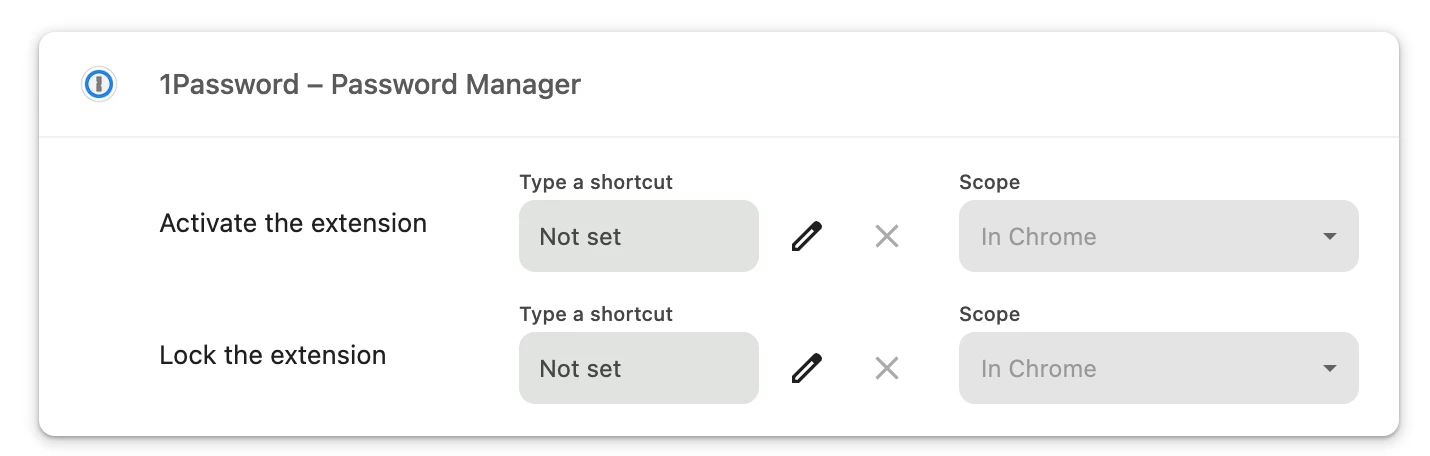
But this popup shows every time I hit ⌘-\ on my keyboard:
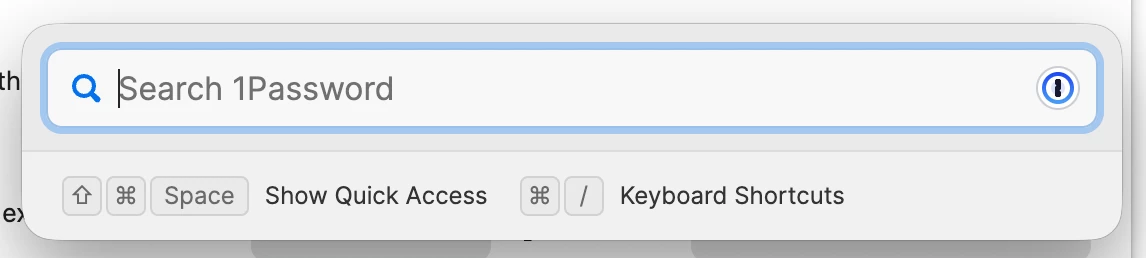


Is there any way to remove the shortcut from my device? Or is this a global shortcut that cannot be removed?

Thanks!

1 reply

1P_Dave
1Password Employee
1Password Employee
September 23, 2026

Hello ​@lexitra! 👋

The prompt that is appearing when you press Command-Backslash on your keyboard is called Quick Access and it’s handled by the 1Password desktop app. You can change the shortcuts there: 

  1. Open and unlock the 1Password for Mac desktop app.
  2. Click on 1Password next to the Apple logo in the menu bar.
  3. Click Settings. 
  4. Scroll down in General and change the desired shortcut. 

I hope that helps! 

-Dave