Level up your business security with free, on-demand training and certification. Explore 1Password Academy today →
Forum Discussion

sciascia
1 year agoOccasional Contributor
Can 1Password use a Mac's Touch ID to manage passkeys?
Hi There,
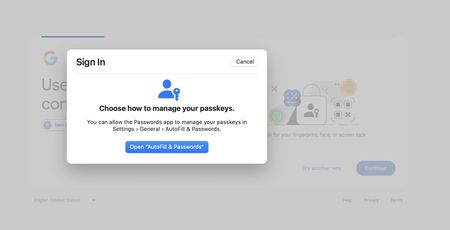
Whenever I see options to use a passkey in Safari, it always tries to use Touch ID on another device. Sorry if I'm missing something basic but how to I set this up in 1Password?
I tu...

1P_Dave Moderator
1 year agoModeratorThanks for the reply. On the Mac, in Safari, you can save a passkey in 1Password with these steps:
- Make sure that 1Password for Safari is installed: 1Password for Safari on the Mac App Store
- Open the website in question in Safari and navigate to the place on the website where you can choose to add a passkey for authentication.
- 1Password will show a prompt asking if you'd like to save the passkey in 1Password:
- Click Save in the prompt.
The screenshot in your first post shows that you're trying to sign into your Google account using an existing passkey. Where did you save that passkey? In 1Password? Or another password manager? Do you see the passkey in 1Password? It should look like this:
-Dave


