Level up your business security with free, on-demand training and certification. Explore 1Password Academy today →
Forum Discussion

dteare 1Password Team
4 years ago1Password TeamFirst 1Password beta of 2️⃣0️⃣2️⃣2️⃣ 🎉
Welcome to our first beta of 2022! 🙌
All signs point to 2022 being an incredible year and we’re kicking things off with our very first beta, #80500079 .
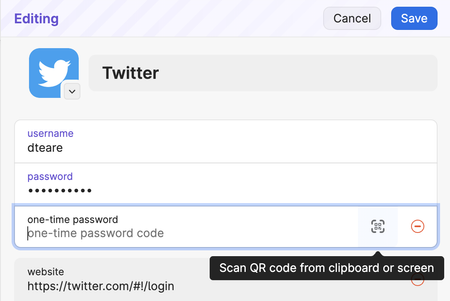
By popular demand you can now add you...

Anonymous
4 years agoCould you please help me understand how it is important to know the number of items that have a certain tag? And why this information needs to be highly visible, vs accessible when needed?
It helps me getting and keeping the big picture while organizing all of my entries. I ignore the built in categories, instead I tagged all my entries in a hierarchical manner:
Having an item count will show me unbalanced (too many or only 1 or 2) entries per tag. It will also help me to show where I just added or removed an entry, especially useful if I added the wrong tag and the item gets lost within some unknown tag. "Organizing all of my entries" is always the case when I have the desktop app open as in the screenshot. I'm doing this only if I'm organizing. The other case is using the data, which takes place either in the browser extension or with Quick Access.
I understand you just don't want to display irrelevant information. For me, it's relevant. If it's missing, I start clicking through every tag and see if I can merge that tag with some other tag or if I should split that tag into multiple tags.


