Level up your business security with free, on-demand training and certification. Explore 1Password Academy today →
Forum Discussion

agentsmith1337
2 years agoNew Contributor
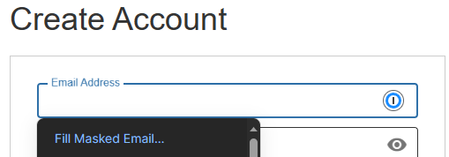
Getting Fill Masked Email.. option when no masked email exists
I was creating an account on costco (https://signin.costco.com/). I was initially asked to create a masked email, but before I could save the item in 1password I was redirected. The email was created...

kevin_li 1Password Team
2 years ago1Password TeamHi agentsmith1337 ,
Thanks for getting back to us with the additional details.
I can confirm the issue is related to how costco.com is being built and I can replicate the misbehavior as you described.
Meanwhile, we have an existing issue with the password-changing page of the costco.com website and it also fits the profile of your issue on the sign up page. Basically, the inline menu suggestion of 1Password would trigger costco.com to auto-submit the current page info somehow, which seems to be a janky redirecting behavior.
I updated the issue with the findings you provided. Meanwhile, I'd suggest using the Copy function of the password generator from 1Password in the browser to avoid the issue in the future (The "Autofill" function would also trigger the issue):
You can use the inline menu to autofill the email address or the masked email feature. The auto-submit misbehavior won't take action as long as all the required fields are not completed on the form.
Then, instead of using the inline menu suggestion for the password fields, let's use the password generator to Copy & Paste passwords as a workaround to avoid the auto-submit misbehavior. Here's a demo GIF:
ref: dev/core/core#15128


