Level up your business security with free, on-demand training and certification. Explore 1Password Academy today →
Forum Discussion

Jamsk
2 years agoOccasional Contributor
Multiple Username/Passwords for Single URL/Login
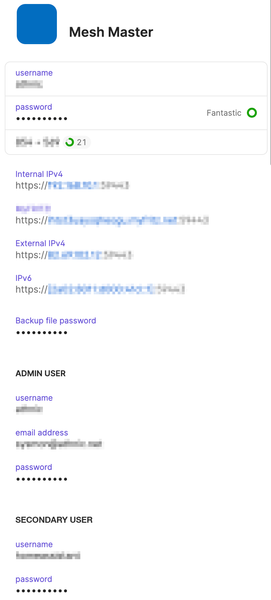
Specifically, I have multiple logins to my Internet router:
* the main admin login
* a secondary user so a service running on a local server can access the box with limited permissions
In the ...
Jamsk
2 years agoOccasional Contributor
Hi 1P_Dave
I mainly use Firefox these days, so the equivalent ( Command . ) to get the 1Password extension to open, type in a few characters of the login name, cursor keys down to the relevant entry then press the enter key to select.
It then opens the page based on the top URL in the list and for whatever reason completes the username with the secondary login and then when I click on the 1Password icon in the password field, it enters the password for the admin login (so the two obviously don't match).
I've tried this in a private browser window too (allowing the 1Password extension the relevant permissions), so as to effectively get around any caching etc. and it's still the same. It's strange behaviour.
...and yes, just one login entry in 1Password per router (but with the two sets of credentials for that router in the same single 1Password login entry as shown in the screenshot above).
I hope this makes sense, it's difficult to describe properly in words.


