Level up your business security with free, on-demand training and certification. Explore 1Password Academy today →
Forum Discussion

Anonymous
4 years agoNeed keyboard shortcut to save/submit field when editing item
Hi there,
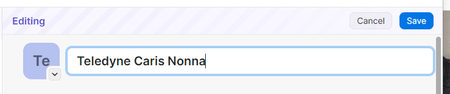
I find it a bit frustrating when I am editing a field like the title of a login, that I cant save the field using a keyboard shortcut
For Windows the shortcut should be Ctrl + En...
Anonymous
4 years agoWell it really comes down to convention and how Windows users expect applications to work based around those conventions.
When I see a text field like this that I want to edit, I will switch to the keyboard with both hands and type away. When I am trying to make a few edits in 1Password like I was recently to make a few edits to a number of items, what I instinctively want to do is to minimize the switching between keyboard mode and mouse mode, switching from both hands on the keyboard to a mouse on these kinds of tasks kills flow and feels frustrating.
In many or most scenarios where speed and efficiency isnt important, clicking on the "Save" button is intuitive and works fine. But for the rest of the time, Windows users will quickly type out what they want in the field then hit "Ctrl + Enter" to save/submit the form in a satisfying way. I understand that you can hit "Ctrl + S" or as you mentioned you can Instead there is the sad realization that this application isnt mapped to how my brain works, and expects me to work in a non-native way - which as you can imagine is frustrating.
"Ctrl + Enter" should save/submit the form for the same reason "Esc" key cancels out of the edit mode, these conventions map perfectly and feel satisfying when we execute them and the application does what you expect it to do.


