Level up your business security with free, on-demand training and certification. Explore 1Password Academy today →
Forum Discussion

Anonymous
4 years agoNeed keyboard shortcut to save/submit field when editing item
Hi there,
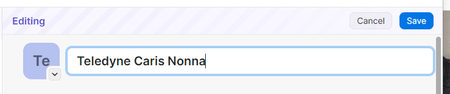
I find it a bit frustrating when I am editing a field like the title of a login, that I cant save the field using a keyboard shortcut
For Windows the shortcut should be Ctrl + En...

1P_PeterG Community Manager
4 years agoCommunity ManagerHi @sguergachi, thanks for the follow-up here.
I can certainly understand the appeal of a native experience, and the desire for efficiency (I do love some hotkeys and a good keyboard-only workflow for certain things).
But I'm having trouble understanding how the "Ctrl + S to save a field" workflow would help with that goal. Currently, since 1Password auto-saves each field as you leave it, it's possible to tab-and-type one's way through the entire creation of an item, and then only need to press Ctrl +S once - for the final save. If anything, this strikes me as more efficient, since in effect 1Password is doing a sort of automatic Ctrl + S for each field as you go.
Here's an animation of what this looks like when I try it with a test item (this is using the keyboard only, tabbing through, and then pressing Ctrl + S at the end):
However, if I'm missing something feel free to let me know - we'd like the experience of using 1Password to feel as intuitive and natural as possible. 👍


