Level up your business security with free, on-demand training and certification. Explore 1Password Academy today →
Forum Discussion

Anonymous
4 years agoNeed keyboard shortcut to save/submit field when editing item
Hi there,
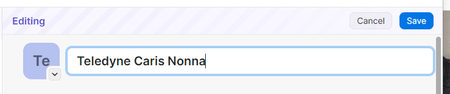
I find it a bit frustrating when I am editing a field like the title of a login, that I cant save the field using a keyboard shortcut
For Windows the shortcut should be Ctrl + En...
Anonymous
3 years agoHi Peter,
sorry for the long delay in response, thanks for your thoughtful response.
This issue I face almost every time I go to edit an item, creating an item it doesnt feel frustrating either because 1password makes it so easy to click through with pre-filling fields, or it does a great job at auto filling them in the extension when I login for the first time.
Now I totally see the workflow working as you explained, and using Ctrl + S is okay but as I mentioned its irritating, every time I go to edit a field, because I get reminded that "oh right, 1password isnt a native app, I have to hit Ctrl + S - only when using 1password" it means my brain has to work extra hard to remember 1Password is this super special app that has a super special keyboard shortcut.
I dont see 1Password like I see a Word document, where Ctrl + S is intuitive because I'm "Saving" a long form, free form document, with a version history etc, that I want to persist on disk. I see 1Password like I see a web form, or a modal dialogue on windows - with separate fields that I edit and want to *exit out of. Ctrl + Enter feels like a finalization shortcut, while Ctrl + S feels like a transient shortcut. Its actually weird to hit Ctrl + S and see the window close, in a word doc Ctrl + S doesnt close the doc im writing.
So in summary my experience editing goes like this:
- Months goes by, one day I have to edit a 1password login field (like the title, or a password)
- I click edit to open, I click the first field I want to edit, then I quickly type out the edit
- Then, with a degree of excitement, I hit Ctrl + Enter, thinking (feeling/hoping) like I am being efficient by using the keyboard, instead of moving my cursor to the "Save" button.
- Then, I get upset, and remember 1Password is different and I have to hit Ctrl + S.... then I go to the Feeback & Support menu to rant here :P
Hopefully that gives you an idea of the psychology/experience and why not having Ctrl + Enter as the shortcut kills the editing experience on 1password for me :)


