Level up your business security with free, on-demand training and certification. Explore 1Password Academy today →
Forum Discussion

wavesound
2 years agoDedicated Contributor
Passkeys do not work with Microsoft 365
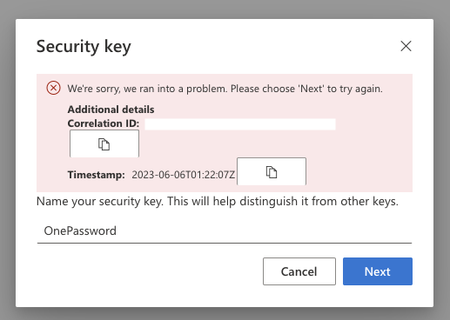
When I go to add PassKeys to my MIcrosoft 365 portal it fails at the last step.
https://mysignins.microsoft.com/security-info
Same error in Chrome and Brave.
I was able to cancel the...

mpinoc
6 months agoNew Contributor
NEW UPDATE!! As of November 2025, the passkey preview is now FINALLY open.
You can now finally start using syncable passkeys (aka can use 1Password to store your Microsoft Passkeys).
But to get it to work, a Global Administrator for your Entra Tenant must join the preview.
- Login to https://entra.microsoft.com
- Click Authentication methods on the left menu
- Click the "Passkey (FIDO2)" Policy to make changes
- On the top will be a blue bar saying the public preview is open, with a link to opt-in.
- After clicking the link you can optionally setup different Passkey profiles, or just use the default one (if you want everyone to have the same rules).
- Assuming you want to proceed with the "Default" profile. Click "Default Passkey Profile" link.
- On the menu on the right, click "Target Types" and check both "Device-Bound" and "Synced (Preview)". Ensure "Enforce attestation" is unchecked (I don't believe 1Password works with attestation enabled).
- Click "Save"
- Any user on your tenant can now create passkeys in 1Password by going to https://aka.ms/mfasetup


