Level up your business security with free, on-demand training and certification. Explore 1Password Academy today →
Forum Discussion

morenicano
2 years agoNew Contributor
Persistent, non-intrusive account create or update prompt
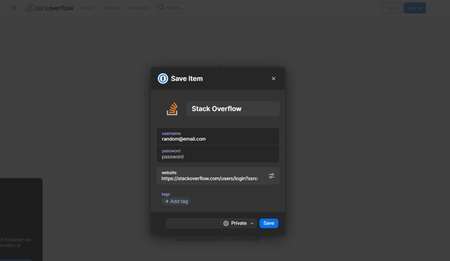
Currently, if I fill in my credentials, or update existing credentials on a web page (like generating a new password), 1password prompts me to save or update the existing credentials, however the pro...

1P_Evon 1Password Team
2 years ago1Password TeamHey morenicano,
Thanks for reaching out. I appreciate the detailed information.
It might be helpful to use the Password Generator in the extension pop-up instead. Click the 1Password icon in the browser's toolbar, click the menu icon ( ☰ ) and select "Password Generator". Alternatively depending on your device, you can also press (CMD + G or CTRL + G) on your keyboard after opening the extension to quickly open the Password Generator.
From here, you can modify the password generation type to adjust the symbols and numbers. Then, when you click "Copy" or "Autofill", it will save the generated password in the "Password Generator History". If the website accepts the generated password, update the correct login item manually with the newly generated password.
Let me know if that helps at all. We look forward to assisting you further.
-Evon


