Protect what matters – even after you're gone. Make a plan for your digital legacy today.
Forum Discussion

ajahn
4 years agoSuper Contributor
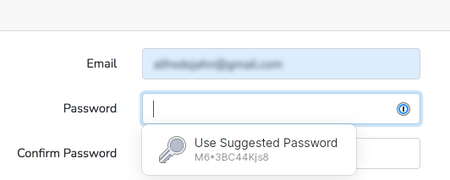
"Use suggested password" popup
Is the following "Use suggested password" popup coming from 1Password? If so, will it also auto-fill that password in both the new password and confirmation fields?
1Password Version: 7...
ajahn
4 years agoSuper Contributor
I'm using Chrome and it will ask. You can try it out using the test site. First, go to https://fill.dev/form/registration-email and enter your email and when you tab to the password field, you should see the password suggestion. 1password will offer to save it to a new entry. Then try it again and change the password and it should ask if you want to update your existing login item.
Remember to click the "Register" button to apply the new password. Otherwise 1password will be updated and the site's password won't be.


