Our community is getting an upgrade on July 2nd! Learn more in the FAQs →
Forum Discussion

joeRinehart
5 months agoNew Contributor
1Password Chrome extension is incorrectly manipulating <code> blocks
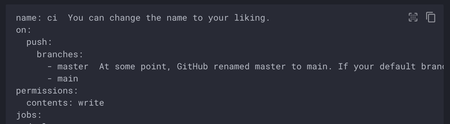
The latest 1Password Chrome extension is incorrectly manipulating the DOM within <code> blocks on static pages. It looks it's using prism.js to try to add syntax highlighting to <code> blocks on the ...
- 5 months ago
Hey everyone! I want to thank everyone who called our attention to this and explain what happened and what we’re doing about it.
What happened: Prism.js is a syntax-highlighting library we use for our Labs Snippets feature. While optimizing our build to reduce bundle size, we unintentionally bundled Prism.js into the extension in a way that caused it to run on pages where it shouldn’t, which interfered with code formatting on certain sites. We apologize for the inconvenience this caused.What we’re doing about it: We’ve completed the fix and submitted it to the Chrome Web Store, along with Firefox, Edge, and our other supported extension storefronts. Rollout timing depends on each store’s review process, but we expect it to land over the next few days.
We want to emphasize that vault security was not impacted. At 1Password, protecting our customers’ privacy, passwords, and credentials is our highest priority.
Check out our postmortem covering what went wrong, the timeline, and the concrete changes we’re making to how we build and release future browser extension updates: Incident Postmortem - 1Password Browser Extension Code Syntax Rendering Issue


elbart
5 months agoNew Contributor
We've also found a problematic display issue with the 1password browser extension in Chrome (and other Chromium based browsers like Brave). Please find the details below.
Description of the issue
When the 1password browser extension in the Chrome browser (or Brave) is installed and active, the font color of code snippets is almost invisible.
Steps for Reproduction
- Install the official 1password extension from the Chrome Webstore
- Go to an example documentation page with code snippets: https://qdrant.tech/documentation/concepts/points/
- Observe, that code snippets are almost unreadable, because the font color and the actual rendering of the snippet is very different. It seems the rendering doesn't take place.
Expected behavior
- The code snippets on the Qdrant Documentation are clearly visible with the right font color
- Please find a screenshot of a Chrome browser with the 1password extension inactive
Please let us know if and when this can be fixed within your Browser extension or how we can potentially mitigate this on our end.
Thanks in advance!
Tim


