Level up your business security with free, on-demand training and certification. Explore 1Password Academy today →
Forum Discussion

Anonymous
4 years agoSCIM bridge issue docker
Hello ,
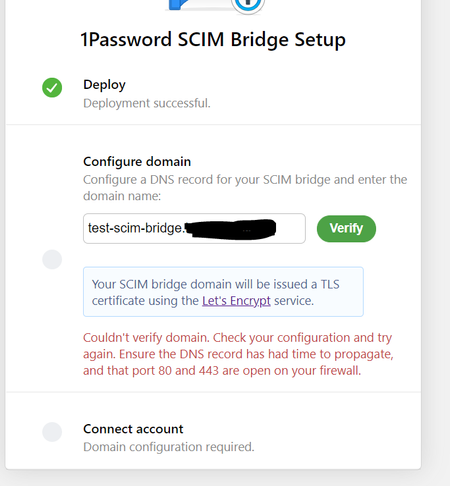
I am currently in the test phase of setting up the SCIM bridge.
I am having a problem that I cannot resolve.
I mounted the bridge on in a docker container (on my windows machine) with t...
Anonymous
4 years agoHi @lauwiks. :)
From the replies on this thread so far it seems like you are using Docker Compose to test the SCIM bridge locally.
For this test I would recommend we disable the Let's Encrypt functionality so that you don't need to let the SCIM bridge try and obtain a TLS certificate.
For the purpose of a local test using Docker Compose I'd recommend trying the following configuration options:
1. Ensure OP_LETSENCRYPT_DOMAIN is set to an empty string, i.e. OP_LETSENCRYPT_DOMAIN= or OP_LETSENCRYPT_DOMAIN=""
2. Ensure OP_PORT is set to the port you are exposing via your Docker configuration
3. Ensure OP_SESSION is set to the path where the scimsession value is accessible to Docker. Alternatively you can also set the OP_SESSION variable to the Base64 encoded value of the scimession file contents.
If this configuration is successful you should be able to access the SCIM bridge via the Docker container and the port, i.e. http://container:port. You should be presented with a page that allows you to verify your bearer token. The bearer token is the token that was generated alongside your scimsession file.
If you want to connect an identity provider to the SCIM bridge running on your local machine you will need to provide an HTTPS URL to access your SCIM bridge. You can take a look at tools like https://ngrok.com and https://github.com/localtunnel/localtunnel to forward traffic to the Docker container running on your local machine. This is obviously not the recommended method to run your SCIM bridge in production, but it is an option if you are testing automated provisioning with 1Password.
Let us know if you run into any issues.