
Sep 23, 2026 7:26 PM UTC
Question

1Password - Golden Gate Upgrade - TouchID not Working Anymore

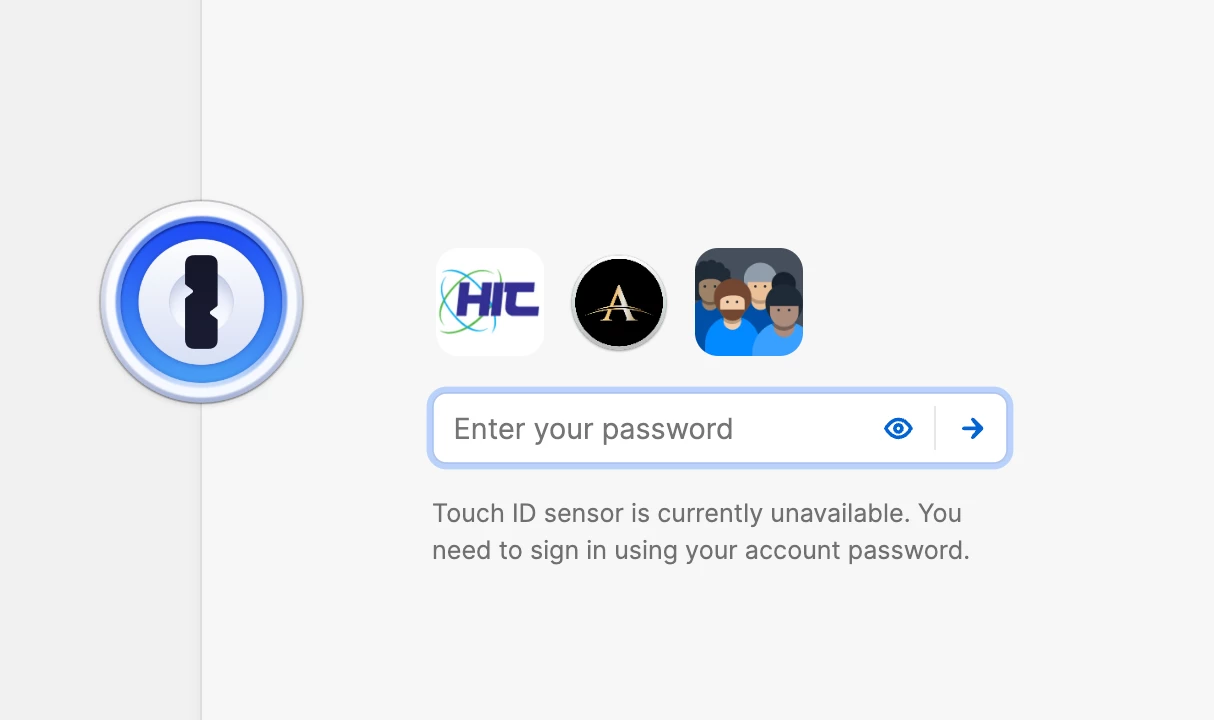
I'm not able to use Touch ID on my keyboard anymore. I get an error at unlock screen.
Tried Toggling on and off. Shutting down completely, restarting and reenabling touch ID from Scratch. Also Important to note Lock/Unlock Functions fine on Mack with Fingerprint. Watch Unlock works ok. I want Keyboard TouchID Unlock to work since I dont wear watch sometimes. 

Anything else I should try? Thanks.


6 replies

1P_Dave
1Password Employee
1Password Employee
Sep 23, 2026 8:18 PM UTC

Hello ​@DaveA68! 👋

I’m sorry that Touch ID isn’t working to unlock 1Password on your Mac. It sounds like you’ve already completed the typical troubleshooting steps. I'd like to ask you to create and share a 1Password diagnostics report from your Mac:

Send a diagnostics report (Mac)

Attach the diagnostics to an email message addressed to support@1password.com

With your email please include:
- A link to this thread: https://www.1password.community/1password-at-work-58/1password-golden-gate-upgrade-touchid-not-working-anymore-25673
- Your forum username: DaveA68

You should receive an automated reply with a Support ID number.  Please post that number here.  Thanks very much!

-Dave

DaveA68Author
Sep 26, 2026 9:10 PM UTC

Already did…  Thanks.

1P_Gem
1Password Alum
Sep 28, 2026 10:58 AM UTC

Hi ​@DaveA68, thanks for letting us know! I can confirm that we’ve received your ticket, and one of my colleagues will send you a response via email as soon as possible.

Oct 11, 2026 6:40 PM UTC

I am having the same problem. Should I follow these steps too or is there a fix available since this was initially raised?

DaveA68Author
Oct 11, 2026 7:33 PM UTC

The only one thing I did to fix my particular computer Mac studio was to update to the first patch Apple has released for Golden Gate, then I logged out of Touch ID and logged back in. I restarted the Mac and then went to one password and toggled the touch ID off, quit one password, restarted one password again, and then reenabled biometrics settings in OnePass. Once I did that, it magically started working again as designed. When credentials are now requested and one password is locked, I can use the touch ID on the keyboard to open the vault. I don't know if this helps, but maybe it may resolve your problem. 🙏

1P_Gem
1Password Alum
Oct 12, 2026 7:50 AM UTC

Hi ​@htoneill, I’m sorry to hear that you’re running into this as well.

I’d suggest giving the steps provided by DaveA68 (thanks for the assist!) a go, and if that doesn’t help, or if you get stuck, email in to support@1password.com with a link to this thread, your forum username, and a diagnostics report, and our team will be happy to investigate further.