
Question
Secure Input stuck until quitting 1Password
Hello,
I know this bug has been reported a gazillion times, but I have exact reproduction steps that hopefully will help you solve the issue.
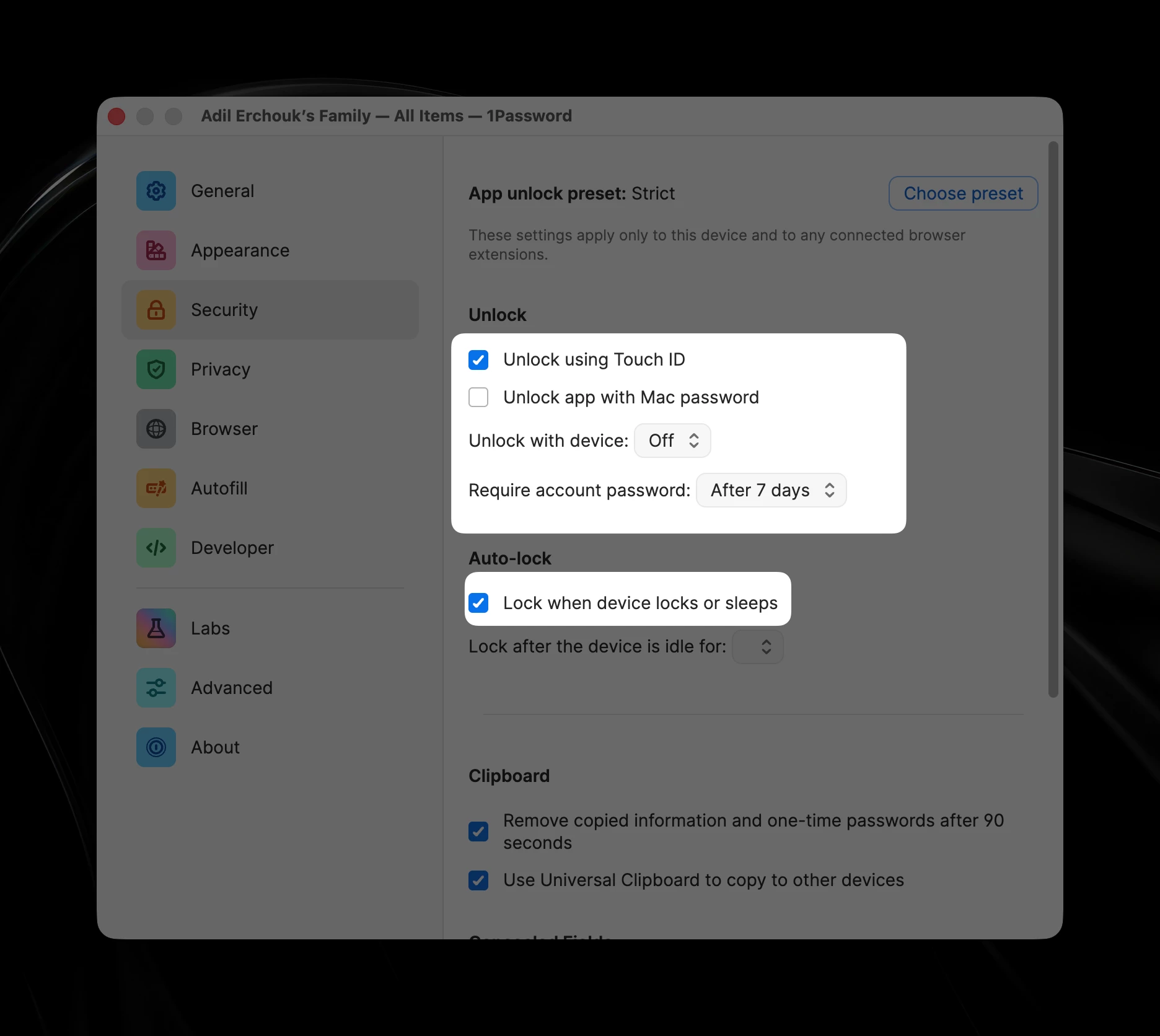
- Make sure to have these few Security options
- Unlock app with Mac password: off
- Unlock with device: off
- Lock when device locks or sleeps
- Keep two windows on screen, 1Password and another focusable app
- Focus 1Password, lock it (⇧⌘L)
- Focus the other application
- Lock the screen (⌃⌘Q) - at this stage you might notice 1Password focus flashing
- Unlock the screen
- Your second application is still focused but you can notice the account password field of 1Password highlighted with the accent color border
From step 7, 1Password is blocking Secure Input and the only way to get out of it is terminating the app or focus then unfocus.
Also at this stage, the system falsely reports other apps as holding Secure Input (using `ioreg -l -w 0 | grep SecureInput`). It often reports `loginwindow` as the holder of Secure Input.
Hopefully, this will help you fix the issue or report it to Apple if it’s an OS issue.
Best regards,
Adil