Level up your business security with free, on-demand training and certification. Explore 1Password Academy today →
Forum Discussion

BenBob
9 months agoDedicated Contributor
1P Display
Somehow I did something to the way my 1P shows and I can't get it back to the way I like - with my different categories showing on the left side - my tags I guess - like Credit cards, Airlines, Hotel...
 9 months ago
Thank you so much Simon! I didn't have any notification that you had replied until I posted my 2nd message just now. And the answer is yes, both categories & tags were checked - so i clicked the "reset to default" under interface zoom and that fixed it! Thank you again!

1P_SimonH Community Manager
9 months agoCommunity ManagerHi BenBob,
In the 1Password app, can you check something for me?
- Click on the 1Password menu in the upper left of the screen, then select Settings.
- Click on Appearance in the sidebar of the Settings window.
Are Categories and Tags checked there? If not, try checking them and see if things look back to normal!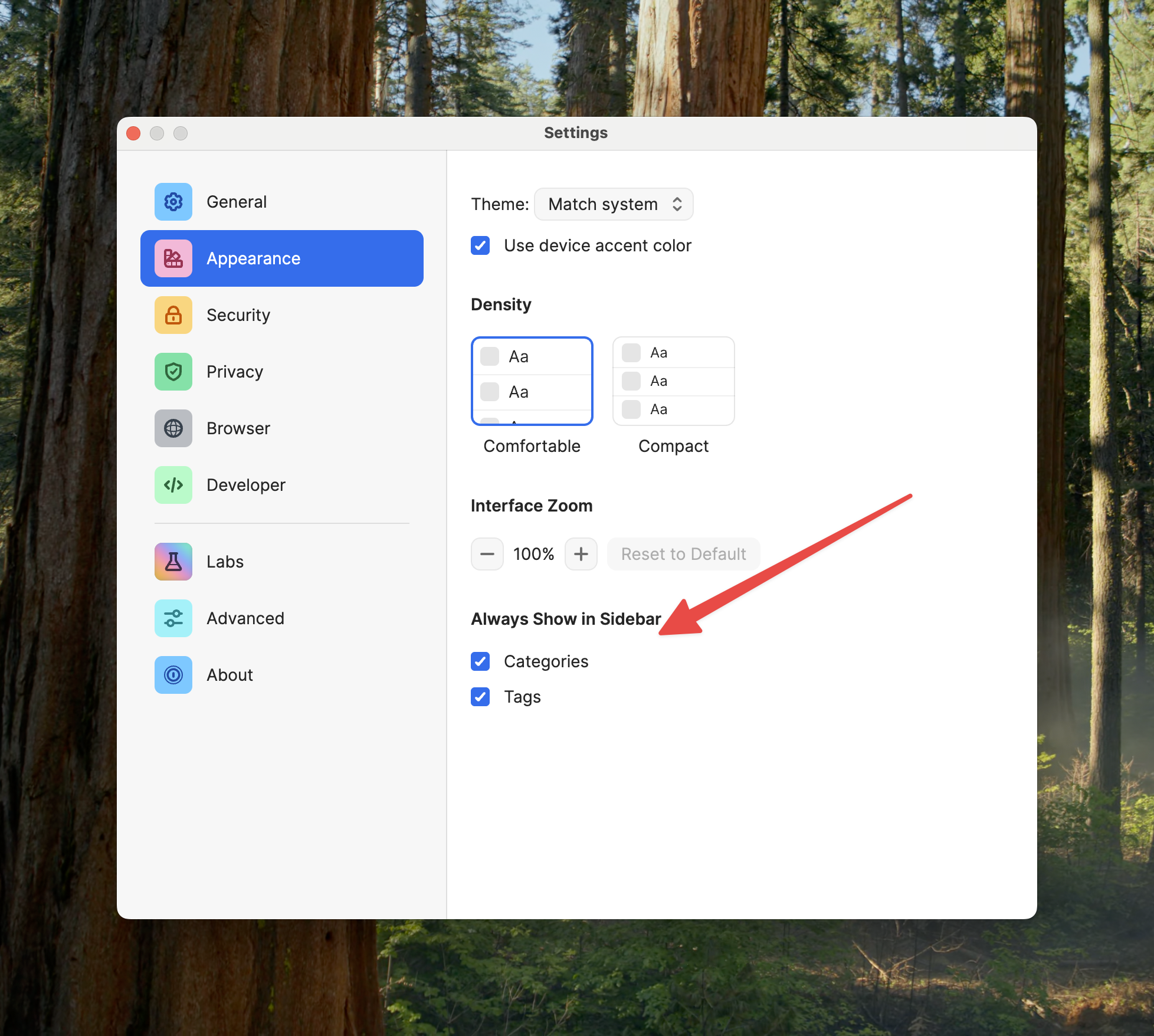
BenBob
9 months agoDedicated Contributor
Thank you so much Simon! I didn't have any notification that you had replied until I posted my 2nd message just now. And the answer is yes, both categories & tags were checked - so i clicked the "reset to default" under interface zoom and that fixed it! Thank you again!
- 1P_SimonH9 months ago
Hi BenBob,
Ah, I wonder if you accidentally zoomed in so much on 1Password that there wasn't room to show the side bar! On a Mac, if you press command + on your keyboard while using 1Password, that would zoom it in, so maybe an accidental misclick?
In any case, glad it's working as usual now!- BenBob9 months agoDedicated Contributor
Thank you Sir!


