Level up your business security with free, on-demand training and certification. Explore 1Password Academy today →
Forum Discussion

Anonymous
4 years ago1P8 Secure Input issue causes Macos accent menu to stop functioning
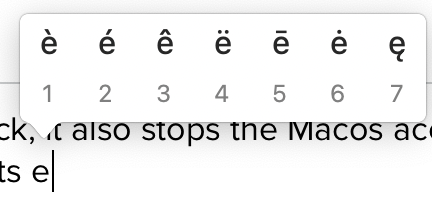
Whenever 1P8 causes the secure input feature to lock, it also stops the Macos accent menu feature to stop functioning. For example, if you long press the "e" key, you'll see a popup with a selection...
Anonymous
4 years agoHi 1P_PeterG, here are some steps that always make it go into that mode on my M1 MBP:
1. Click on 1P8
1. ->Lock Screen
2. Wake computer: Secure Input is Enabled
3. Click on 1P8 anywhere on the app: Secure Input is still enabled
4. Click on red Touch ID button in 1P8: Secure Input is disabled
5. Put finger on Touch ID button: 1P8 unlocks, but goes back into Secure Input is enabled mode
6. Click anywhere in 1P8: Secure Input is disabled.
I hope that helps. I can do a screen reconrding if that helps. Also, installing https://trankynam.com/atext/ helps you see this easily.


