Level up your business security with free, on-demand training and certification. Explore 1Password Academy today →
Forum Discussion

MathiasSven
2 years agoNew Contributor
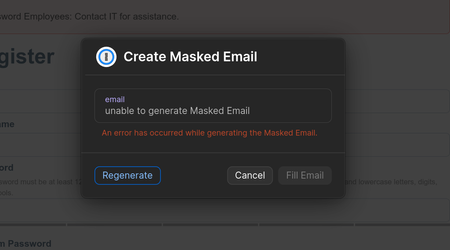
An error has occurred while generating the Masked Email (FastMail Integration)
There was previously a https://1password.community/discussion/127428/an-error-has-occurred-while-generating-the-masked-email around this topic, but it has since been locked, and the solutions provide...

1P_Dave Moderator
2 years agoModeratorThank you for the reply. A few folks have reported success with the following steps:
- Sign into your Fastmail account at Fastmail.com.
- Click your account name in the top-left corner of the page, then Settings, then click Masked Email in the left-hand column.
- At the bottom of the page, click "Review Access" beside 1Password, provide your Fastmail password to unlock the Settings page, then remove 1Password's access to Fastmail.
- Sign into 1Password at 1Password.com, click "Integrations" in the right-hand column, and then click Fastmail.
- Click Deactivate Fastmail, and provide your 1Password account password to confirm that action.
- Re-establish the connection between 1Password and Fastmail using the steps found here: Use 1Password to create and manage Masked Emails in Fastmail
If that doesn't work then let me know and I'll add you to the internal tracking item of the issue that our developers have open to create a permanent fix for the issue.
-Dave


