Level up your business security with free, on-demand training and certification. Explore 1Password Academy today →
Forum Discussion

Anonymous
3 years agoAutofill UX: Ability to close suggestion box
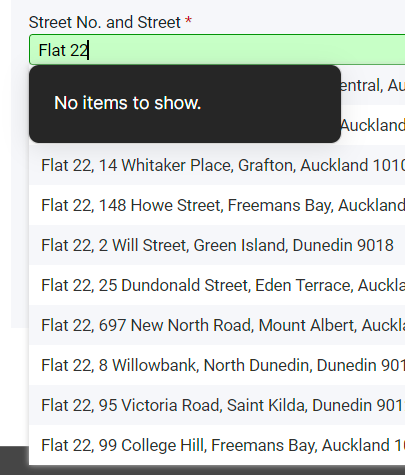
Sometimes 1P gets it wrong and pops up an autofill box by mistake. I'm not expecting 1P to be perfect on every possible web site, so I'm not asking to be fixed for this web site., What I'm asking is ...

1P_David 1Password Team
3 years ago1Password TeamGlad to hear that MrC 's suggestion worked for you @gmagana.
Additionally, it sounds like you may have 1Password set to show automatically when a field is in focus. If that's the case, you can prevent this using the following steps:
- Right-click on the 1Password icon in the browser's toolbar and select "Settings".
- Scroll down to the Autofill section and ensure "Show autofill menu on field focus" is toggled off.
This will prevent the menu from showing automatically and can give you more control over when the 1Password menu is visible as you can toggle it by clicking the 1Password icon within the field as mentioned earlier.
Let us know if this improves your experience.





