Level up your business security with free, on-demand training and certification. Explore 1Password Academy today →
Forum Discussion

Rhf6UBpfAi3GYDYa
1 year agoNew Contributor
Browser Extension - passwordless
Hey there, I switched from LastPass to 1Password in anticipation of a better user experience, but the browser extension still prevents me from having a great UX. Its about the auto-lock behavio...

1P_Timothy Community Manager
1 year agoCommunity ManagerHey Rhf6UBpfAi3GYDYa, thanks for joining the Community! My apologies for the delay in reply.
As you noted that you're using Windows Hello, I would suggest using 1Password for Windows in conjunction with 1Password in the browser to help with quickly unlocking both.
When the 1Password desktop app is used in tandem with the 1Password extension, they can share a lock state, and you can unlock both with options such as Windows Hello, or Touch ID. While it's not a QR code, and your account password will still be required in some circumstances, this may help achieve the overall goal of quick access to the browse extension.
Let us know if you get the chance to try it out, and thanks again!

Rhf6UBpfAi3GYDYa
10 months agoNew Contributor
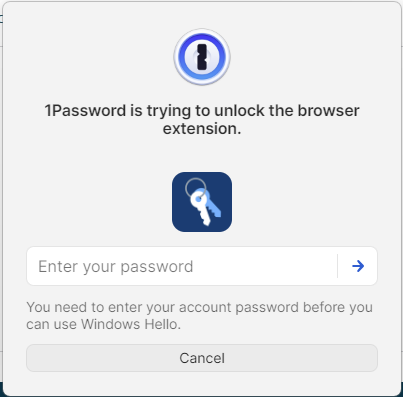
Hi, after intense testing it is still not the great user experience it could be. Using https://1password.com/downloads/windows is just shifting the issues from the 1Password extension to another tool.
Why? I can unlock the extension and the desktop app via https://support.1password.com/windows-hello/, or https://support.1password.com/touch-id-mac/But not after a restart, the i must enter my password to unlock biometrics. As its 80 digits I am back at the point where I started :-(
- 1P_Dave10 months ago
Moderator
Thanks for the reply. The desktop app is required since the browser extension alone doesn't have a secure way to store the secret that unlocks your 1Password account.
But not after a restart, the i must enter my password to unlock biometrics. As its 80 digits I am back at the point where I started :-(
To unlock 1Password using Windows Hello even after a restart, you can use the Trusted Platform Module with Windows Hello:
- Open and unlock the 1Password for Windows desktop app.
- Click your account or collection at the top of the sidebar and choose Settings.
- Click Security and turn on Use the Trusted Platform Module with Windows Hello, then click Turn On.
Let me know if that helps.-Dave


