Level up your business security with free, on-demand training and certification. Explore 1Password Academy today →
Forum Discussion

Rhf6UBpfAi3GYDYa
1 year agoNew Contributor
Browser Extension - passwordless
Hey there, I switched from LastPass to 1Password in anticipation of a better user experience, but the browser extension still prevents me from having a great UX. Its about the auto-lock behavio...

Rhf6UBpfAi3GYDYa
10 months agoNew Contributor
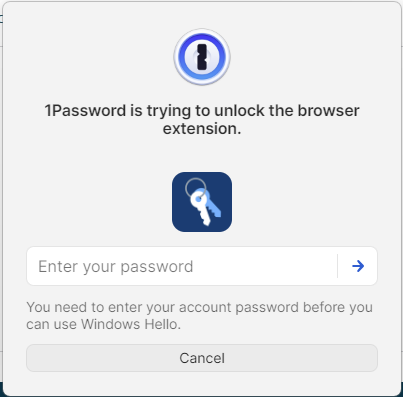
Hi, after intense testing it is still not the great user experience it could be. Using https://1password.com/downloads/windows is just shifting the issues from the 1Password extension to another tool.
Why? I can unlock the extension and the desktop app via https://support.1password.com/windows-hello/, or https://support.1password.com/touch-id-mac/But not after a restart, the i must enter my password to unlock biometrics. As its 80 digits I am back at the point where I started :-(

1P_Dave Moderator
10 months agoModeratorThanks for the reply. The desktop app is required since the browser extension alone doesn't have a secure way to store the secret that unlocks your 1Password account.
But not after a restart, the i must enter my password to unlock biometrics. As its 80 digits I am back at the point where I started :-(
To unlock 1Password using Windows Hello even after a restart, you can use the Trusted Platform Module with Windows Hello:
- Open and unlock the 1Password for Windows desktop app.
- Click your account or collection at the top of the sidebar and choose Settings.
- Click Security and turn on Use the Trusted Platform Module with Windows Hello, then click Turn On.
Let me know if that helps.
-Dave


