Level up your business security with free, on-demand training and certification. Explore 1Password Academy today →
Forum Discussion

techtroubles101
3 years agoNew Contributor
Copy part of Notes?
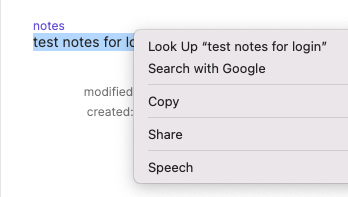
Why doesn't CMD+C work in the 1Password 8 app? It seems to work in browser extension, but not in the native app.
I have to right click and hit COPY in order for basic copy functionality to work.
...

andrew_l_1P 1Password Team
3 years ago1Password TeamThanks for the quick reply, techtroubles101, I can confirm we received the diagnostic report.
Appreciate the video as well, we'll investigate both to see if we can determine what's happening here. You raise a good point about an alternative workflow altogether! We do have an open feature request to adjust the way the browser extension handles saving new passwords (and whether or not this happens before or after submitting), so I'll add a vote for you there.
One way to lessen the odds of a password not being accepted is to use the "Smart Password" option in our browser extension's password generator:
This option reads a website's password rules and offers something that meets them. The caveat here is that it necessitates websites code their password rules into their pages in the first place, so it won't work everywhere. If I find myself needing to manually generate a password, I usually do this in the browser extension instead of the main app:
And then in case it's accepted and 1Password doesn't offer to save it, I still have it on my clipboard to edit the item myself.
Generally though, I take the in line suggestion and let the prompt update my item. In cases where it isn't ultimately accepted, you can find password history in the 1Password 8 Mac app:
We'll continue exploring the copying behaviour you're seeing, but if you try out any of these alternative workflows, let me know how they go. 🙂
ref: TMF-59733-511
ref: IDEA-I-645