Level up your business security with free, on-demand training and certification. Explore 1Password Academy today →
Forum Discussion

FrankBreech
2 years agoFrequent Contributor
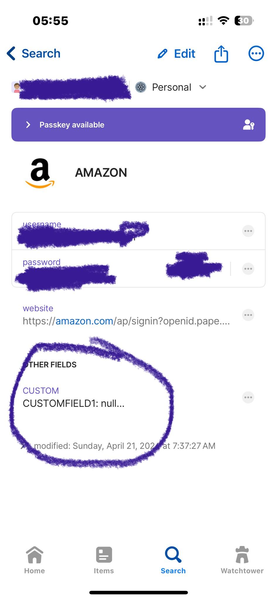
Custom Fields: can't see all data when opening record on iPhone/iOS
Hello!
I'm using iOS v. 8.10.31 and on PC v. 8.10.30 81030032 on Production channel.
On the windows version, I'll open a note with custom fields in it, and they fully display all the data on th...
FrankBreech
2 years agoFrequent Contributor
oK so it worked: when I create a new record from within PC 1password (windows) and i add a field: Text, it shows the full field(s) on the screen both on PC and on iOS iPhone.
I think the issue is that when I imported all my records from Bitwarden (or any other password manager I would imagine) I mapped my prior-password manager data to what I labeled the column as "Custom", but didn't assign it a (i suppose) proper 1password field name. I will work on this and attach photos and then try to troubleshoot it until I get it to work and then I'll post the solution if I can get one.
Meanwhile, here's my "fixed" new record, created from scratch with 1PW and showing all the field data on iOS:




