Level up your business security with free, on-demand training and certification. Explore 1Password Academy today →
Forum Discussion

FrankBreech
2 years agoFrequent Contributor
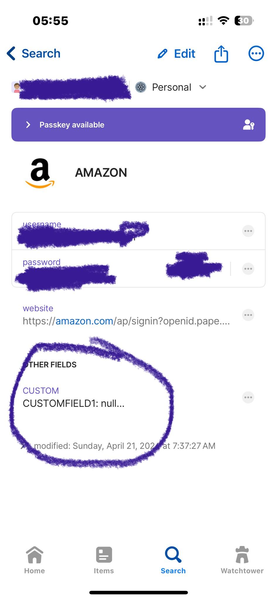
Custom Fields: can't see all data when opening record on iPhone/iOS
Hello!
I'm using iOS v. 8.10.31 and on PC v. 8.10.30 81030032 on Production channel.
On the windows version, I'll open a note with custom fields in it, and they fully display all the data on th...

MrC
1 year agoSuper Contributor
I saw this post the other day, and wondered if you might run into trouble with your custom field labels. I agree that trying to clean-up 2k records would be a slog.
If you still have the data in BitWarden, and want to use the suite, then you'll get better results using the bitwarden converter itself (and it wants a JSON export, not CSV)). Otherwise, you'd use the csv converter.
Either way, fields unknown to converters get placed into the record's Notes in the form of Label: Value, and Notes is just a large string field. Converters can instead place custom fields into a custom fields by using the --addfields option. The csv converter enables this automatically.
Which converter did you use? From your problem explanation, it seems like you use the bitwarden converter without specifying --addfields. Is this correct?
I'm confused by your mention of "Other Field". Using the --addfields option would create a section named "Original Fields". Perhaps just some more clarification could help.




