Level up your business security with free, on-demand training and certification. Explore 1Password Academy today →
Forum Discussion

MultiMatt
3 years agoNew Contributor
Edits to an item do not "take" in Chrome browser extension
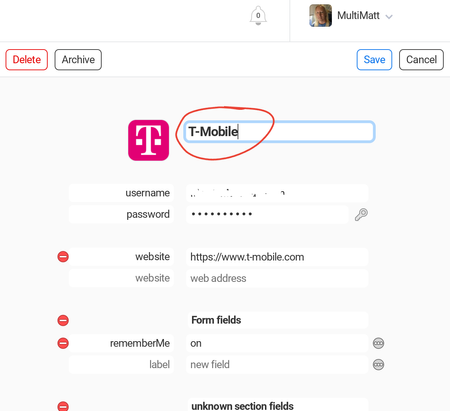
I am using the beta version of the 1Password Chrome extension (along with the app on my Pixel phone).
I made an edit to my former Sprint login info, since T-Mobile has now migrated me over. Change...
MultiMatt
3 years agoNew Contributor
Hi @"paul.m_1p"
- I currently do not have 2FA set up, but can do that now. When I found that I did not have that set up yet, I left it the way it was for now, pending our discussion.
- Yes, changes via my Pixel phone immediately show on 1Password.com
- Yes, the T-Mo changes I made show up in the browser extension, and the date is correct (last week).
- I think (for some other reason), I locked/unlocked the extension in Chrome some time over the past few days. It appears the data DID sync, because the correct T-Mobile wording is showing for the 1Password bubble now!
Being so used to LastPass (for 12 years!), I have a habit of doing most everything via the browser extension. Perhaps I need to be mindful of just jumping over to 1Password.com and making my changes there, to avoid weird sync issues...


