Level up your business security with free, on-demand training and certification. Explore 1Password Academy today →
Forum Discussion

Hoelder
2 years agoOccasional Contributor
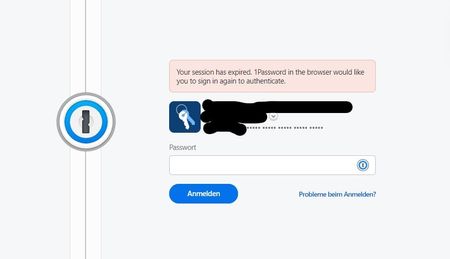
Error when using 1Password in the browser: "Your session has expired."
Since today, there is a strange problem with the 1Password extension in Edge: When I open a website or click on the tab of an open website, the 1Password sign-in webpage (https://my.1password.com/sig...

1P_Dave Moderator
2 years agoModeratorThank you both for the replies. It does sound like you're running into a known issue that our developers are investigating. There are two ways to workaround the issue until a permanent fix is released:
- Turn "Automatically lock 1Password" on when using 1Password in the browser.
- Install the desktop app. You can set your auto-lock preferences there using this guide: How to set 1Password to lock automatically
Our investigation has narrowed the issue down to a bug with how the auto-lock feature in the 1Password browser extension works, if the extension is set to never lock then authentication fails and a new tab with a sign in page is opened (as you've noted).
If you turn on auto-lock for the browser extension then the issue shouldn't occur. Alternatively, when the desktop app is installed authentication is handled by the desktop app and not the browser extension which avoids the issue as well.
Let me know if both workarounds don't work for you. We're hoping to release a permanent fix as soon as possible.
-Dave
ref: dev/core/core#27669





