Level up your business security with free, on-demand training and certification. Explore 1Password Academy today →
Forum Discussion

Hoelder
2 years agoOccasional Contributor
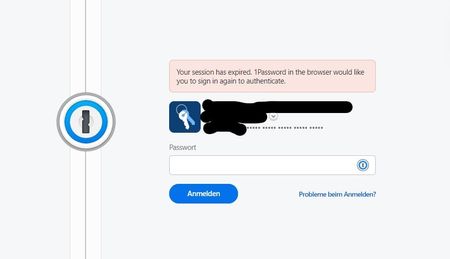
Error when using 1Password in the browser: "Your session has expired."
Since today, there is a strange problem with the 1Password extension in Edge: When I open a website or click on the tab of an open website, the 1Password sign-in webpage (https://my.1password.com/sig...

1P_Dave Moderator
2 years agoModeratorThank you everyone for providing those details. Our development team is working on a permanent fix for the issue. For the time being, choosing one of these workaround options will prevent the issue from happening:
Option 1: Turn on auto-lock for 1Password in the browser
- Right-click the 1Password icon in your browser's toolbar and select "Settings".
- In the Security section, turn on "Automatically lock 1Password" and "Lock when device goes to sleep", then set the idle timer to 8 hours.
Option 2: Install the 1Password desktop app (if you'd like to keep auto-lock turned off)
- Install the desktop app: Get the 1Password apps
- Make sure that integration between the desktop app and the browser extension is turned on: Right-click the 1Password icon in your browser's toolbar and select "Settings" > Make sure that "Integrate this extension with the 1Password desktop app" is turned on.
- Use the desktop app to set your auto-lock setting to the preferred option: How to set 1Password to lock automatically
Let me know if you run into any issues following these steps and I'll be here to help further. I'm sorry again for the trouble that the issue is causing, I know that these workaround options aren't ideal and our development team is actively working on a permanent fix.
-Dave





