Level up your business security with free, on-demand training and certification. Explore 1Password Academy today →
Forum Discussion

Former Member
4 years agoExact match and close match... is it gone from 1Password 8?
Hello everyone!
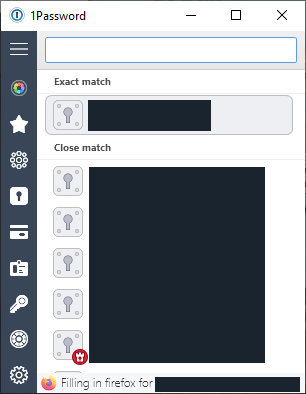
I've been playing around with 1Password 8 and one thing I discovered and was rather annoyed with was that the browser plugin would not show me exact and close matches anymore.
...
Former Member
3 years ago@Platima thanks! I'm going to try summarize the issues you've listed to see if I got them right, and ask some follow-up questions:
we have a team of a dozen or so staff, and we have many customers that all have different subdomains, so some logins my be saved as customer1.service.com, generic addresses such as admin.service.com, etc. With 1P7 it would show the exact match, then 'close matches', which is what we would end up using 99% of the time.
If I understood correctly, your customers' credentials are usually saved with their subdomain as the url, but sometimes you need to use a more generic credential set like the one you have for admin.service.com (I assume you're still using these credentials on the customer sites?).
1Password 7 used to show the more "generic" credentials as close matches, but 1Password 8 doesn't. Could you help me understand what you're seeing in 1Password 8 and how it's different than 1Password 7? Is it that it won't show the item you're looking for, or that it makes it hard to tell items apart because no URL is shown, so you don't know which one matches best?
The other example is not with customer subdomains, but with vendors that may have a dozen different login addresses. Eg some Ingram Micro logins are for au.ingrammicro.com/Site/home, some ingrammicro.com.au, some ingrammicro.com/login, etc.
I believe it should be possible to add multiple websites to a single item. The item will show on any of the URLs. Would this address your use-case?
Now that 1P8 matches on exact URL, we've got 837 logins that we would have to review and correct, then all of our internal bookmarks and procedure documents to update to use those exact addresses that are in 1Password.
Could you give me an example of how these would have to be changed?
Sorry for the many questions, I'm just hoping to understand the issue as best I can so that we can try and address it :) Any help is appreciated!
Thanks,
Gab