Level up your business security with free, on-demand training and certification. Explore 1Password Academy today →
Forum Discussion

13Jimpal
1 month agoOccasional Contributor
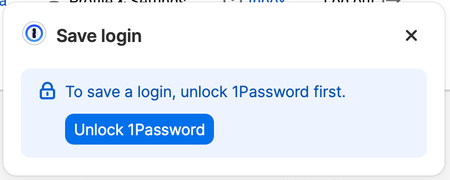
How do I get rid of these annoying popups?
Often when I have just logged in to a site on Safari, one or the other of these popups, shown here, comes up. They are unnecessary, particularly the first one, since I know how to do these actions on...

TataruTaru
1 month agoDedicated Contributor
When I get this popup, it does FaceID, only to say session on tab expired.

13Jimpal
1 month agoOccasional Contributor
I agree with other recent comments that there seems to be a problem with 1Password Extensions. A couple of days ago (see my other comments here) I thought I had found the solution by getting into extensions and turning off "Offer to save and fill logins." But that only worked to eliminate these popups now and then.
Now the only thing that will prevent these popups for me is to go to 1Password Settings and uncheck the box "Start at login." Thus 1Password will not start until you want it to. Then no popups. So, the only fix I have found for this annoyance after all is to simply manually start 1Password when needed, and then turn it off (which is quite easy).
I've sort of accepted this minor annoyance fix as a challenge, and spent way too much time on it, but so far haven't really conquered if . Surely performance and selection of 1Password activities should work better than this.