Protect what matters – even after you're gone. Make a plan for your digital legacy today.
Forum Discussion

Former Member
4 years agoHow to import 1p4_zip backup from 1Password 6 into a specific vault in 1Password 7
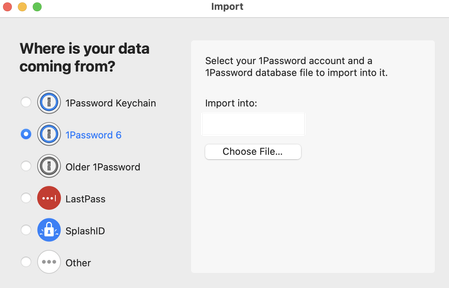
Hi, I finally upgraded from 1 Password 6 to the cloud-based 1 Password 7. Everything seems to be working. I've searched this forum and I can't seem to how to do the following:
I have 1p4_zip bac...
Former Member
4 years agorudy what I just described is not a one time event done as part of an upgrade. Please understand the user journey here.
1Password is not used just to store login/passwords. People store notes and files inside it. And the nature of notes and files is that we need to look at prior notes and backups as they're edited and change over time. And because of this there will always be a need to see/restore prior versions.
1Password started out as using local vaults and backup files. A lot of users have backup files going back years. I'm not the only person in this situation. And because of this, there will be a need to repeat this restore local vault procedure multiple times as the need to see prior versions come up.
Another way to achieve this is to allow running 1Password 6 on same time machine as 1Password 7. That way I can use 1Password 6 to restore older 1p4_zip backup files as necessary and keeping it completely isolated from 1Password 7. But when I installed 1Password 7, it actually overwrote 1Password 6. So I'm afraid of installing 1Password 6 on my mac now. It might wipe out 1Password 7 and I have to restart all over again.
Is there a way to install and run 1Password 6 and run it to manage local vaults after I installed 1Password 7?


